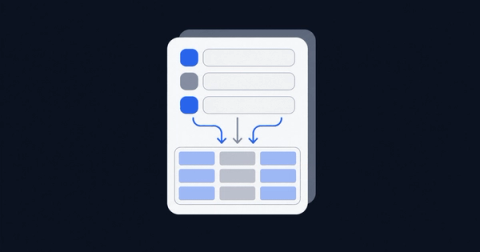
In the world of sales and marketing, capturing leads is the name of the game. A well-designed web form can be the difference between a potential customer and a missed opportunity. If you're a Pipedrive user, you're in luck. Pipedrive Web Forms offer a powerful way to collect visitor information directly from your website and channel it straight into your sales pipeline.
This comprehensive guide will walk you through everything you need to know about Pipedrive Web Forms, from creation and customization to best practices. We'll also explore how meetergo can further streamline your lead qualification and scheduling processes.
What are Pipedrive Web Forms?
Pipedrive Web Forms are customizable forms that you can embed on your website or share via a direct link. They are designed to capture information from website visitors and automatically create a new deal or lead in your Pipedrive account. This seamless integration eliminates the need for manual data entry and ensures that no lead falls through the cracks.
These forms are a part of the LeadBooster add-on, which also includes tools like Chatbot, Live Chat, and Prospector. While the Web Forms feature is a paid add-on, it can be a valuable investment for businesses looking to automate their lead generation and streamline their sales process.
Key Features of Pipedrive Web Forms:
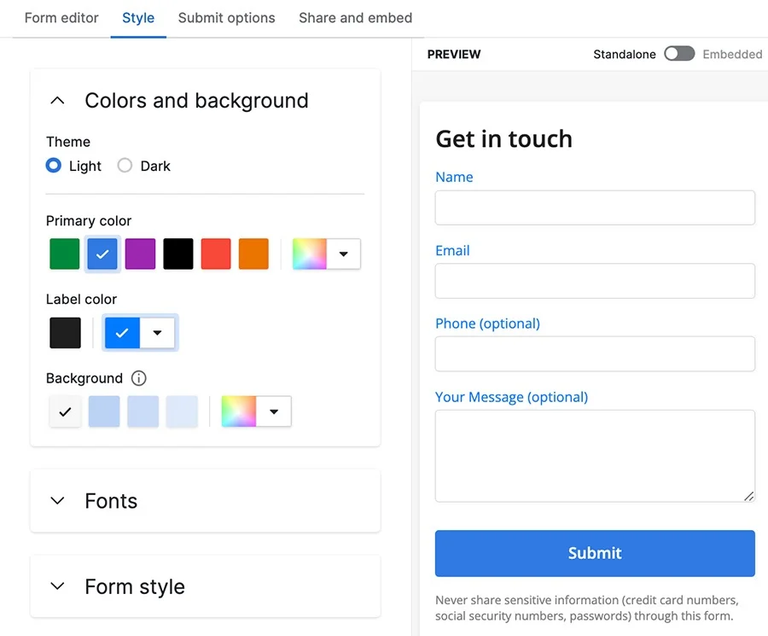
Customization: You can customize the look and feel of your forms to match your brand, including colors, fonts, and fields.
Templates: Pipedrive provides pre-built templates for common use cases like "Contact Us," "Registration," and "Download Material."
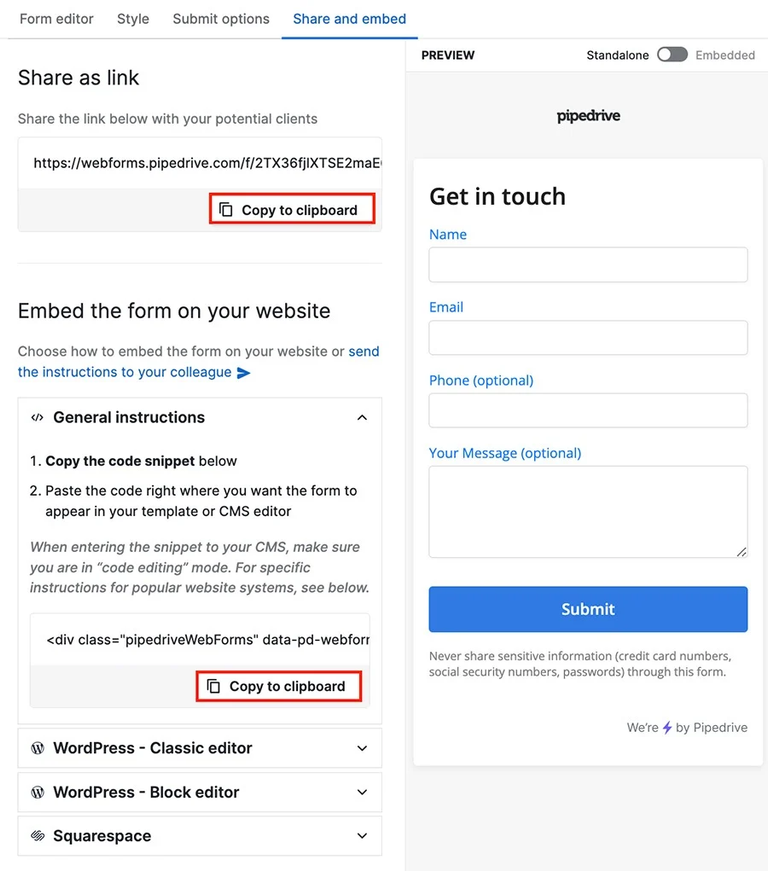
Easy Embedding: You can easily embed the forms into your website or share a direct link on social media or in emails.
Automated Lead Capture: Submitted forms automatically create a new deal or lead in your Pipedrive account, and you can assign an owner to receive notifications.
GDPR Compliance: You can add a consent field to your forms to ensure GDPR compliance.
How to Create a Pipedrive Web Form
Creating a web form in Pipedrive is a straightforward process. Here's a step-by-step guide:
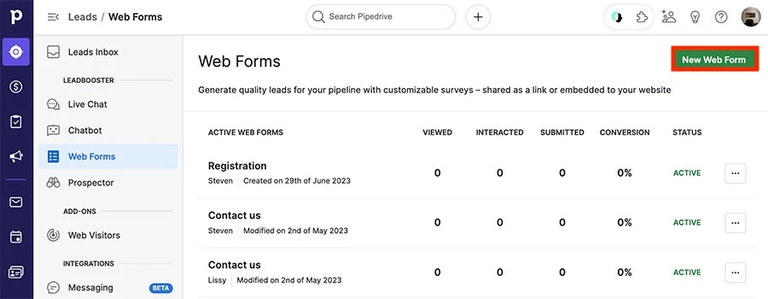
Navigate to Web Forms: In your Pipedrive account, go to the "Leads" section and select "Web Forms". If you're a new user, you might need to click "Try Web Forms"
Create a New Form: Click on "New Web Form" to get started.
Choose a Template: Select a pre-built template or start with a blank form.
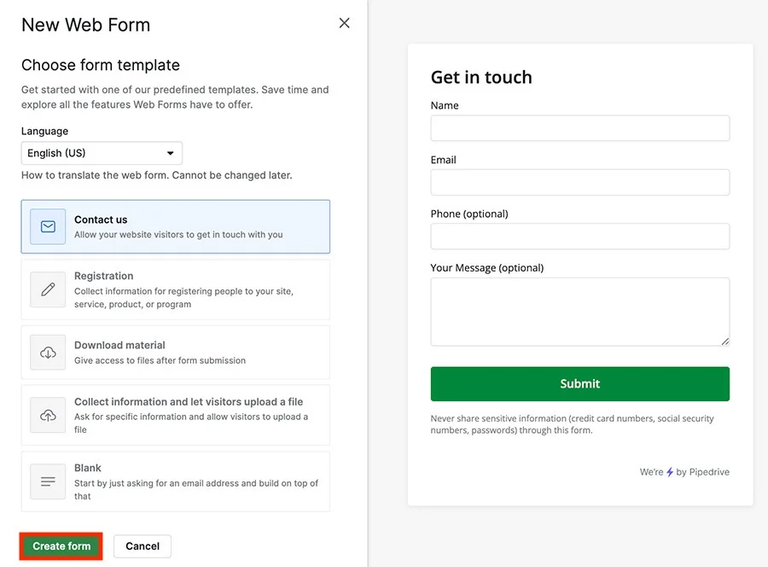
Customize Your Form: Use the form editor to add and edit fields, customize the design, and adjust the style to match your brand.
Set Submission Options: Configure what happens after a form is submitted. You can choose to create a deal or a lead and assign it to a specific user.
Share and Embed: Copy the embed code to add the form to your website or use the direct link to share it elsewhere.
Supercharge Your Lead Management with meetergo
While Pipedrive Web Forms are excellent for capturing leads, you can take your lead management to the next level with meetergo. meetergo is a powerful scheduling and lead qualification tool that can help you automate the process of booking meetings with your new leads.
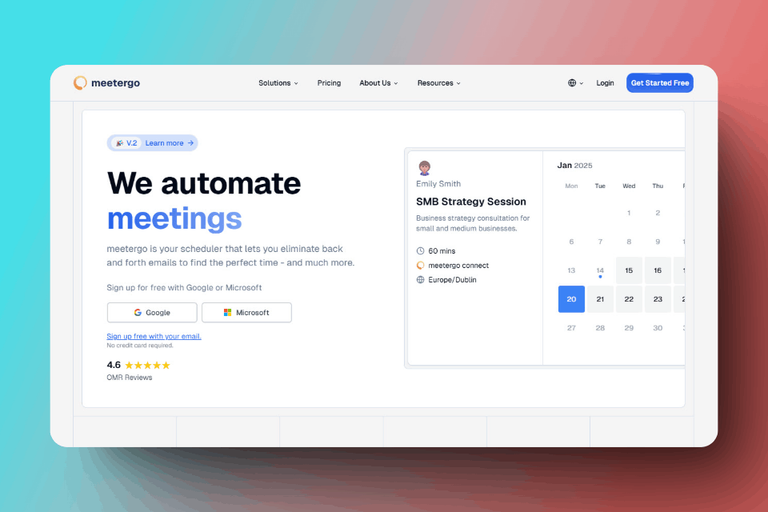
Instead of just collecting contact information, you can use meetergo to allow leads to book a meeting directly from your website. Here's how meetergo can enhance your workflow:
Automated Scheduling: meetergo allows you to create booking pages that sync with your calendar, so leads can see your availability and book a meeting in real-time. This eliminates the back-and-forth emails typically associated with scheduling.
Lead Qualification: You can add qualifying questions to your meetergo booking forms to gather more information about your leads before the meeting. This helps you to be better prepared and tailor your sales pitch accordingly.
Seamless Integration: meetergo integrates with a wide range of tools, including Pipedrive, Google Calendar, and Outlook. This means that when a lead books a meeting through meetergo, the information can be automatically synced with your Pipedrive account.
GDPR Compliant: meetergo is a 100% GDPR-compliant tool, ensuring that you handle your customer data with the utmost care and security.
meetergo as an Alternative
For some businesses, meetergo can also serve as a powerful alternative to Pipedrive Web Forms. If your primary goal is to get qualified leads to book a meeting with your sales team, meetergo offers a more direct and efficient solution. You can embed a meetergo booking page on your website, and when a lead books a meeting, all of their information is captured and can be automatically funneled into your CRM.
Booking + video conferencing in one tool.

Booking + video conferencing in one tool.
Conclusion
Pipedrive Web Forms are a valuable tool for any business using Pipedrive as their CRM. They provide a simple yet effective way to capture leads from your website and streamline your sales process. By combining the power of Pipedrive Web Forms with the scheduling automation of meetergo, you can create a seamless lead generation and management machine. This powerful combination will not only save you time and effort but also help you to convert more leads into loyal customers.