Key takeaways
- The free cap you hit depends on how many people are in the room, not on the plan name. Google Meet gives a free account 24 hours for a two-person call and 60 minutes once a third person joins. Zoom's Basic plan states 40 minutes per meeting with no two-person exception.
- A first client consultation is almost always a 1:1, which makes it the one meeting type where several free tiers are genuinely enough. Roundups that quote a single number per tool hide that.
- Guest friction decides more calls than video quality does. Google Meet asks attendees on the free tier to sign in with a Google account or request to join. Browser-only tools let a client click a link and appear.
- Recording is the first thing free tiers remove. Zoom and Webex allow local recording only on free, and neither Microsoft's nor Zoho's free plan documentation lists recording at all.
- Count the upgrade before you commit. Removing Zoom's cap means a Pro seat at $16.99 per user a month billed monthly, or $14.16 billed annually (checked 2026-11-18).
- The short answer: Google Meet for a two-person consultation you already have an account for, Zoho Meeting for a full hour with a guest who should not have to sign in, Jitsi Meet for the least friction of all, and meetergo Connect when the booking and the follow-up matter as much as the call.
Most lists of free meeting apps rank the same five or six vendors by one number: how long their free tier lets a meeting run. That is useful for a standup with nine people on it, and close to meaningless for the meeting that matters commercially, which is one prospective client, one screen share, and forty-five minutes you cannot afford to have cut off at the knees.
So this comparison takes a narrower test: seven free meeting applications, checked against their vendors' own pages on 2026-11-18, judged on one first consultation with someone who has never used your tool before. If you need a free way to let clients pick a slot rather than hold the call, the roundup of free scheduling and booking-link software covers that side, and a walkthrough of Calendly's free plan goes deeper on the booking link.
Free meeting apps at a glance
Every figure below comes from the vendor's own pricing or free-plan page, checked 2026-11-18.
| App | Free duration | Participants | Recording on free | Guest join |
|---|---|---|---|---|
| Google Meet | 24 h for 1:1, 60 min from the third person | 100 | No | Browser, but attendees sign in or request to join |
| Zoom Basic | 40 min per meeting | 100 | Local only | App or browser |
| Microsoft Teams free | Not stated on Microsoft's free video conferencing page | Up to 100 | Not listed | Browser |
| Zoho Meeting free | 60 min | 100 | Not listed on the free plan table | Browser |
| Webex Free | 40 min per meeting, unlimited meetings | 100 | Local | App or browser |
| Jitsi Meet (meet.jit.si) | No cap published | Not published | No | Browser, no account |
| meetergo Connect (Free) | No cap published, 1:1 video calls on Free | Free covers up to 3 people | From Suite | Browser, no download and no account |
Which free limit bites first on a 1:1 client call
The single distinction that changes the answer, and that the lists ranking these apps leave out, is the difference between two people in a room and three.
Google Meet is the clearest case. Google's own support documentation for accounts without a Meet subscription gives one-on-one meetings up to 24 hours, and meetings with three or more participants up to 60 minutes, with everyone getting a chime and a notification at the 50-minute mark before the call ends. The participant ceiling on a personal account is 100. In practice that means a free Google account can hold an hour-and-a-half discovery call with one client and never see a timer, then get cut off at 60 minutes the moment a colleague joins to answer a technical question.
Zoom does not publish the same carve-out. The Basic plan on Zoom's pricing page states 40 minutes per meeting and 100 participants per meeting, with recording listed as local only, and it does not describe a different limit for two-person calls. Older comparisons still assert that Zoom free gives unlimited one-to-one time. That is not what the pricing page says today (checked 2026-11-18), and it is the kind of detail worth confirming inside your own account before a paid client is sitting on the other end of the link.
Webex applies its cap flatly. The free plan is listed at $0 per user a year with unlimited meetings of up to 40 minutes each and up to 100 attendees, plus local recording and screen sharing with annotation. There is no account required to sign up, and no two-person exception in the plan grid.
Microsoft publishes less than you would expect. Its free video conferencing page describes free video and group video calls for up to 100 people with chat, screen sharing and file sharing, and states no duration figure anywhere on the page (checked 2026-11-18). Third-party comparisons routinely quote 60 minutes for free group calls; since Microsoft's own page does not confirm it, check what your account shows rather than trusting the number.
The practical consequence: if your first consultation is you and one client, a free tier is a reasonable choice and the cap may never fire. The moment a second person on either side joins, you are inside a 40 or 60 minute window with a hard stop, and a call that ends mid-sentence costs more credibility than a seat licence costs money. Most roundups of free meeting apps quote one duration per tool and never separate the two cases, which is how the outdated Zoom claim keeps circulating.
What the upgrade costs when free runs out
Take a two-person consultancy running four 60-minute client calls a week, with a colleague joining about one in four of them. On Zoom Basic every one of those calls is cut at 40 minutes, so free is not an option: two Pro seats cost $33.98 a month billed monthly, or $28.32 billed annually (checked 2026-11-18). On a free Google account the three solo calls run fine and the fourth dies at 60 minutes, so the fix is one Workspace Business Starter seat for the person who hosts, at €6.80 a month (checked 2026-11-18). On meetergo, two people are inside the Free plan's limit of three, so the call itself costs nothing and the paid step buys recordings and the notetaker rather than minutes. The cheapest answer is rarely the tool with the longest free timer; it is the tool whose free limit does not sit where your meetings actually are.
If you would rather not design your consultation around someone else's timer, you can open a free meetergo account and run the call in a browser room that is attached to the booking link clients use to reach you.
The first-consultation test
Five checks, in the order they bite during a real client call.
1. Can the client join without creating anything? On Google's free tier, attendees are asked to sign in with a Google account or to request entry, which means a waiting-room knock from a client who expected a video window. Jitsi Meet, Zoho Meeting and meetergo Connect run in the browser without the guest signing up for anything.
2. Does the cap match the meeting you sell? A 30-minute intro call fits every free tier here. A 60-minute paid session fits none of the 40-minute ones, and fits Google Meet and Zoho Meeting only if nobody else joins.
3. Can you show a document and mark it up? Screen sharing is on every free tier; annotation is not. Webex includes it on free, most others reserve markup for paid.
4. Can you keep the call? Zoom and Webex restrict free users to local recording, a file on your own machine with no transcript, and Microsoft's and Zoho's free plan documentation does not list recording at all. If consultation notes feed a proposal, take them yourself or budget for the paid step.
5. Where does the recording live? For regulated clients, the hosting jurisdiction of a recording is part of the decision rather than a footnote. The checks worth running first are in a separate piece on how to vet video conferencing for client calls.
Security and mobile on the free tiers
Two things buyers ask about too late.
Encryption. Not one of the free-plan pages read for this comparison on 2026-11-18 lists end-to-end encryption as something the free tier includes. Webex's free plan names advanced security without saying what it covers; Zoho's free-plan table has no encryption row at all; Zoom's Basic list and Microsoft's free page do not mention it. Transport encryption is standard everywhere. End-to-end encryption, the kind where the provider cannot decrypt the media, is a paid or self-hosted feature unless your plan's own documentation says otherwise, and that is the question to put to a vendor before a confidential consultation rather than after.
Mobile. Google states that meetings held on a mobile device carry no time limit even on a free account, which is a quiet way around the 60-minute group cap (checked 2026-11-18). Zoho's free plan ships iOS and Android apps, and Jitsi Meet and meetergo Connect run in the mobile browser, so a client on a phone joins without an app-store detour. A reviewer who tested the major platforms for G2's roundup of video conferencing software in April 2026 described Zoho Meeting's browser join as a link click that puts the guest straight into the room, while also running into app-download prompts that interrupted that flow for some guests.
Google Meet
Google Meet is the browser-based meeting app attached to every Google account, and the free tier is the most generous one here for a two-person call. The split between 24 hours for a 1:1 and 60 minutes from the third participant is the whole story of its free plan. The friction is on the guest side rather than the host side.
Free plan limits
- 24 hours for a one-on-one meeting, 60 minutes once three or more people join
- A chime and notification at 50 minutes before a group call ends
- 100 participants maximum, no recording
- Attendees asked to sign in with a Google account or to request to join
Pricing
| Plan | Price |
|---|---|
| Free (personal Google account) | €0 |
| Google Workspace Business Starter | €6.80 per user a month |
The Business Starter figure is the regular price on Google's pricing page; a 50%-off-for-three-months promotion was running when checked on 2026-11-18, and promotional pricing is not what you will pay in month four. Upgrading is also what removes the 60-minute group cap.
Customer reviews
On G2's video conferencing category listing, Google's entry carries a 4.6 rating from 48,304 reviews (checked 2026-11-18). G2 lists Meet under the Google Workspace product rather than separately, so the rating covers the wider suite. Reviewers score it highest on browser-based use, one-click joining and scheduling, which matches its free tier: easy to start, thin on meeting controls.
Best for: a solo consultant whose consultations are one client at a time and whose clients already have Google accounts.
Zoom
Zoom is the app most clients will recognise from the calendar invite, and its free tier is the strictest of the mainstream three on duration. The 40-minute cap is the reason most people start looking for something else, and the reason a 45-minute consultation is a bad fit for Basic.
Free plan limits
- 40 minutes per meeting, with no stated exception for two-person calls
- 100 participants per meeting
- Local recording only, no cloud recording
- AI note-taking capped at three uses a month, and meeting summaries at three meetings
Pricing
| Plan | Price |
|---|---|
| Basic | Free |
| Pro (monthly / annual) | $16.99 per user a month / $14.16 per user a month |
Both Pro figures were read on Zoom's pricing page on 2026-11-18. A fuller breakdown of the tiers above Pro sits in a separate look at what Zoom's plans cost.
Customer reviews
Zoom Workplace shows a 4.5 rating from 56,477 reviews on the same G2 category listing (checked 2026-11-18), the largest review base here. The recurring praise is reliability under poor connections; the recurring complaint from free users is the cap itself, and a paid step priced per host rather than per organisation.
Best for: anyone whose clients expect a familiar link and whose calls are short enough that 40 minutes is not a risk, or who is willing to pay for Pro from the start.
Microsoft Teams
Microsoft Teams free is the sensible pick when both sides already live in Microsoft 365, because the client probably has an account and the meeting shows up where they already look. What it is not is a well-documented free tier.
Free plan limits
- Free video calls and group video calls for up to 100 people
- Chat, screen sharing and file sharing included
- No meeting duration figure stated on Microsoft's free video conferencing page
- Recording not listed as part of the free tier
Pricing
| Plan | Price |
|---|---|
| Teams free | €0 |
| Teams Essentials and Microsoft 365 Business plans | Priced per user on Microsoft's own pricing page; the figure was not readable when checked 2026-11-18 |
Customer reviews
Microsoft Teams carries a 4.4 rating from 19,458 reviews on G2's video conferencing listing (checked 2026-11-18). Reviewers rate the chat and file collaboration above the meeting experience, which describes what you get: a collaboration hub with meetings attached rather than a meeting tool.
Best for: firms whose clients are also on Microsoft 365, where the meeting lands in a place both sides already check.
Zoho Meeting
Zoho Meeting has the most straightforward free tier in this comparison, and it is the only one besides Google Meet that gives a full hour before the timer matters. It runs in the browser, so the client side is one link and one click.
Free plan limits
- 60 minutes per meeting, 100 participants, unlimited number of meetings
- Screen and file sharing, in-session chat
- Virtual backgrounds and whiteboard
- Recording not listed on the free plan table
Pricing
| Plan | Price |
|---|---|
| Free | €0 |
| Standard | Priced per host on Zoho's pricing page; the amount is script-rendered and was not readable when checked 2026-11-18 |
Zoho's pricing page describes its paid tier as everything in the free plan plus recording, co-hosts, 24-hour meetings and polls, with a 14-day trial that takes no card.
Customer reviews
Zoho's entry on G2's video conferencing listing shows a 4.5 rating from 1,273 reviews (checked 2026-11-18), a much smaller base than the apps above it, and mostly from teams already using other Zoho products. Read it as evidence about ecosystem fit rather than about the meeting app alone.
Best for: a full-hour consultation with a guest who should not have to create an account, especially if you already run other Zoho tools.
Cisco Webex
Webex Free is the most explicitly documented free plan here: Cisco publishes it as a plan with a price, $0 per user a year, rather than as a trial. It gives unlimited meetings of up to 40 minutes with up to 100 attendees, screen sharing with annotation, unlimited whiteboards, local recording and noise cancellation, and takes no payment details. The cap applies flatly, so it has Zoom Basic's problem for anything longer than an intro call. Annotation on free is what most free tiers hold back.
Pricing
| Plan | Price |
|---|---|
| Webex Free | $0 per user a year |
| Webex Suite and Enterprise | Priced per host; Enterprise is quoted by sales, and the Suite figure was not readable when checked 2026-11-18 |
Customer reviews
Webex Suite shows a 4.2 rating from 18,935 reviews on G2's video conferencing listing (checked 2026-11-18), the lowest rating of the large-base apps here. The recurring theme in that review base is an interface that rewards familiarity and penalises first-time guests, which is worth weighing when the guest is a prospective client.
Best for: short intro calls where you want to annotate a document on screen without paying for a plan.
Jitsi Meet
Jitsi Meet is the open-source option, and the hosted service at meet.jit.si is the only app here whose own page states that no account is ever needed and that it can be used all day, every day, at no cost. No duration cap and no participant ceiling are published for it, which is both the appeal and the catch: no published commitment either way, and no support contract behind it.
For a first client consultation that is a real trade-off: a link the client clicks with nothing in the way and no timer you can see, but no recording, no booking page, no reminders, and nobody to call if the service degrades during a call you are being paid for.
Pricing
| Plan | Price |
|---|---|
| meet.jit.si hosted service | Free, no account |
| Self-hosted Jitsi | Free software, your own hosting and operations cost |
Customer reviews
Jitsi does not appear with a rating on G2's video conferencing category listing (checked 2026-11-18), so there is no comparable rating or review count to report for it. Its evidence base is the project's own issue tracker and community rather than a review platform, which is a genuine gap when you are comparing it against the others on reliability.
Best for: a long or informal consultation where the lowest possible join friction matters more than recording, reminders or a support contract.
meetergo Connect
meetergo is a German-built suite where booking, the call, documents and the follow-up sit in one account, and Connect is the video app inside it. For this article's reader the relevant part is that Connect is included on the Free plan, so the booking link a client uses to pick a slot opens a video room that belongs to the same account, with no second tool in the chain.
Connect runs in Chrome, Firefox, Safari and Edge. Guests need no download and no account, and a waiting room runs a camera and microphone check before they enter, which catches a client's broken headset before it eats the first five minutes of a paid consultation.
Joining from a browser link
The client clicks the link in the booking confirmation and appears: no install prompt, no account wall, and on iOS and Android the same browser room rather than an app-store detour.
Sessions that are not shaped by a timer
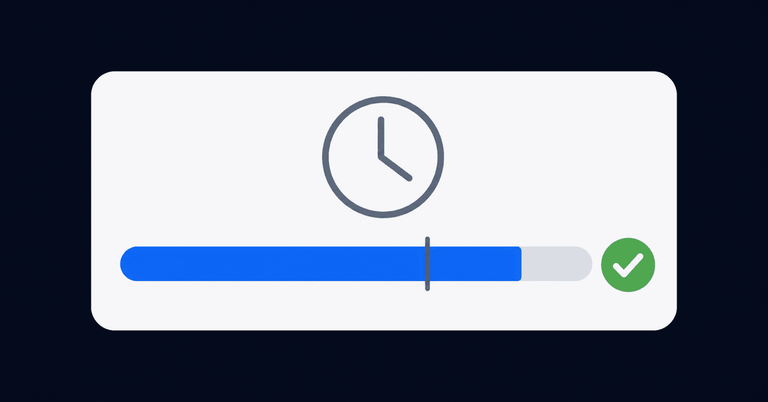
meetergo's Connect page publishes no duration cap for Free, and the capture above shows a session continuing past the hour that ends a free Google Meet group call. The honest limitation on Free is scope rather than minutes: it covers up to 3 people and 1:1 video calls, three meeting types, and three e-signatures and three invoices a month. Recordings, transcripts and the AI notetaker on every meeting start at Suite.
Signing inside the call
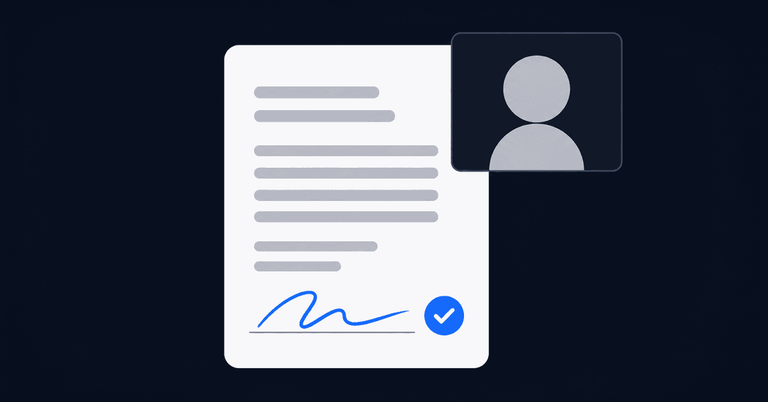
When a consultation ends in an agreement, the client signs in the call and the signed document lands on their contact record. That is the part none of the other apps here reach, because none of them holds the contact record in the first place.
Where the call is hosted
Connect is hosted with Hetzner in Nuremberg. meetergo is a German company, which is what decides the question a regulated client actually asks: a recording of their consultation sits under EU law and cannot be demanded from the vendor by a US authority. meetergo's page for consultants and professional services firms sets out the rest of the workflow around the call, from intake forms completed before the meeting to deposits taken at booking.
Pricing
| Plan | Price |
|---|---|
| Free | €0 a month, up to 3 people, no card |
| Light | €12.90 per person a month |
| Suite | €99 a month, 3 people included |
| Premium | €179 a month, 3 people included |
| Premium Solo | €49.90 a month for 1 person |
Read on meetergo's pricing page on 2026-11-18. A promotion was running then; the figures above are the regular prices. Free has no time limit on it, and the paid plans can be tried for 7 days without a card. Those are two separate things.
Customer reviews
meetergo carries a 4.8 rating on G2 and on OMR Reviews, with the badge figures and the customer count shown on meetergo's own customer page (checked 2026-11-18); the badges do not publish a review count, so there is no sample size to report alongside the rating. The recurring point in the OMR reviews from consultancies is cost consolidation rather than video quality: one subscription replacing a scheduling tool plus a separate video seat, with GDPR compliance and Nuremberg hosting named as the reason B2B clients accept it.
Best for: consultants and small firms for whom the call is one step in a sequence that starts with a booking link and ends with a signed document.
How to pick in five minutes
- Calls run past 40 minutes with more than two people. No free tier here holds that reliably. Price the upgrade now rather than after a call gets cut.
- You need the call recorded or transcribed. Every free tier either forbids it or does not document it. This is the clearest reason to pay.
- The client asks where the recording is stored. Shortlist on hosting jurisdiction first and features second.
The thing a free meeting app cannot do is get the client onto the call. That is a booking problem rather than a video problem, covered separately in a piece on setting up consultation appointments and in a discovery call script for the conversation itself. To run all three steps from one free account, meetergo's scheduling app and Connect work from the same booking link, and you can set it up free.
Send your client a booking link that opens your own video room.

Send your client a booking link that opens your own video room.
Frequently asked questions
What is the best free meeting application?
For a two-person client consultation, Google Meet's free tier is the most generous of the mainstream apps, because a 1:1 call runs up to 24 hours. Where you also want the booking link and the follow-up with no account wall for the guest, meetergo Connect is included on the Free plan. For the simplest link with no sign-up at all, the hosted Jitsi Meet service.
Which free meeting apps have no time limit?
The hosted Jitsi Meet service publishes no duration cap, and meetergo's Connect page publishes none for its Free plan. Google Meet has no cap on a one-to-one call or on mobile, but cuts group calls at 60 minutes. Zoom Basic and Webex Free cap every meeting at 40 minutes (checked 2026-11-18).
How many people can join a free meeting?
Google Meet, Zoom Basic, Webex Free and Zoho Meeting's free plan all allow up to 100 participants, and Microsoft's free video conferencing page states up to 100 people. The participant ceiling is rarely what limits a free tier; duration and recording are.
Can I record a meeting on a free plan?
Rarely, and never to the cloud. Zoom Basic and Webex Free allow local recording only, a file on your own machine with no transcript. Microsoft's and Zoho's free plan documentation does not list recording. On meetergo, recordings start at Suite.
Do clients need to download anything to join?
That depends on the app rather than on the price. Zoho Meeting, Jitsi Meet and meetergo Connect run in the browser, and Connect's page states that guests need no download and no account. Google Meet runs in the browser too, but on the free tier attendees are asked to sign in with a Google account or to request to join.
Is a free meeting app enough for paid client work?
For a first consultation with one client, under 40 minutes, yes. The points where free stops being enough are predictable: a third participant, a longer call, a recording you need to keep, or a client who asks where that recording is stored.
Sources
All checked 2026-11-18: Zoom's pricing page (Basic and Pro); Google's Meet support documentation on meeting length limits without a Meet subscription, its Workspace Meet product page and its Workspace pricing page; Microsoft's free video conferencing page; Zoho Meeting's free plan page; the Webex plans and pricing page; the Jitsi Meet project page for the hosted meet.jit.si service; meetergo's pricing and Connect pages; G2's video conferencing category listing for ratings and review counts; and G2's April 2026 hands-on roundup of video conferencing software.