Time tracking that already knows your meetings
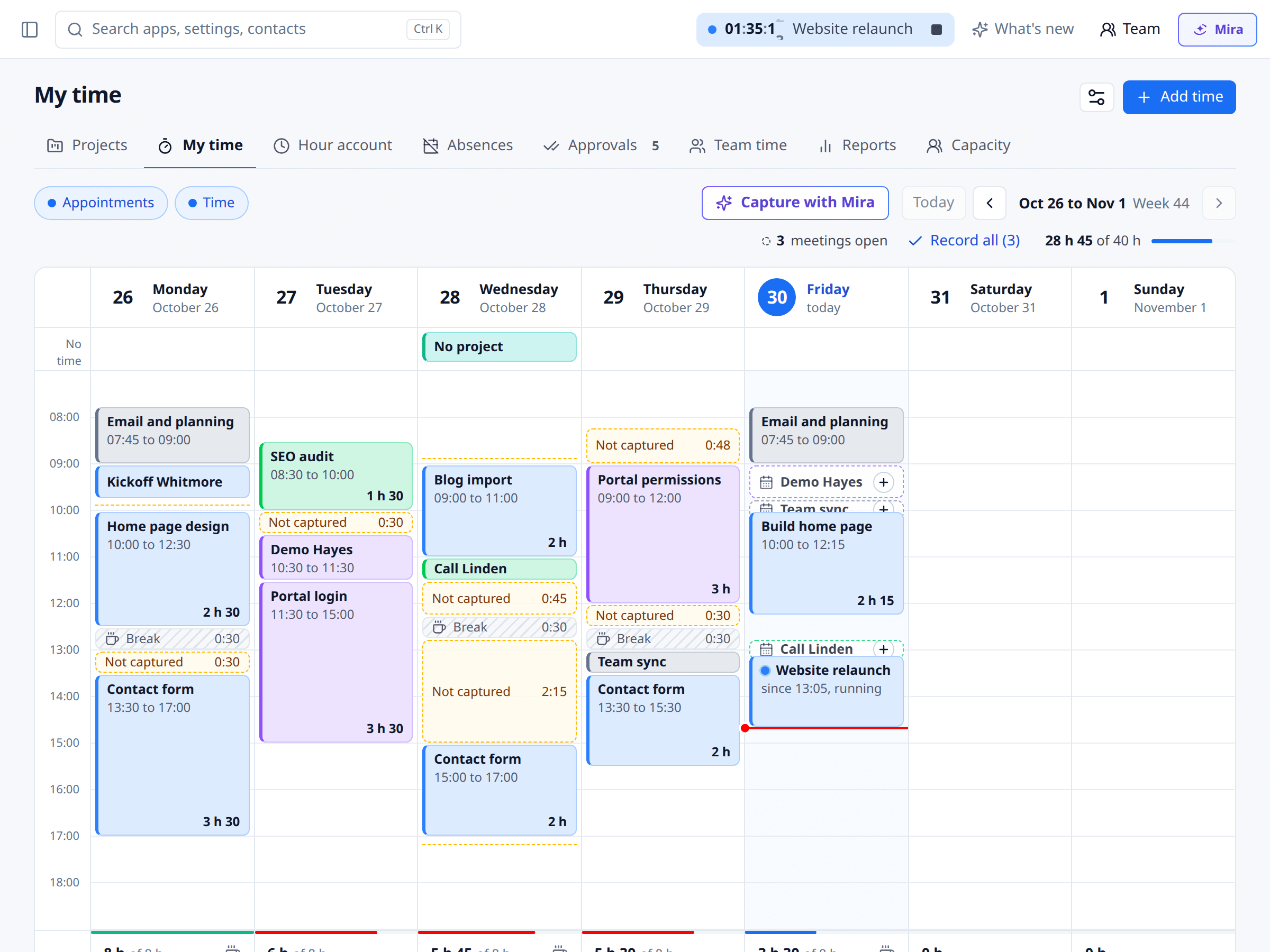
Start the timer in your browser, in the app or right inside Gmail. Meetings, calls and events land in My time as drafts. You confirm them in one click.
Our Trusted Clients















Project time tracking without a Friday catch-up
Time gets recorded where you already work.
One timer, everywhere
One running timer for web, app and Chrome extension. Start it in the browser, stop it on your phone.
Meetings as drafts
Booked meetings, calls and events show up as time drafts. Nothing is recorded until you confirm.
Track on the go
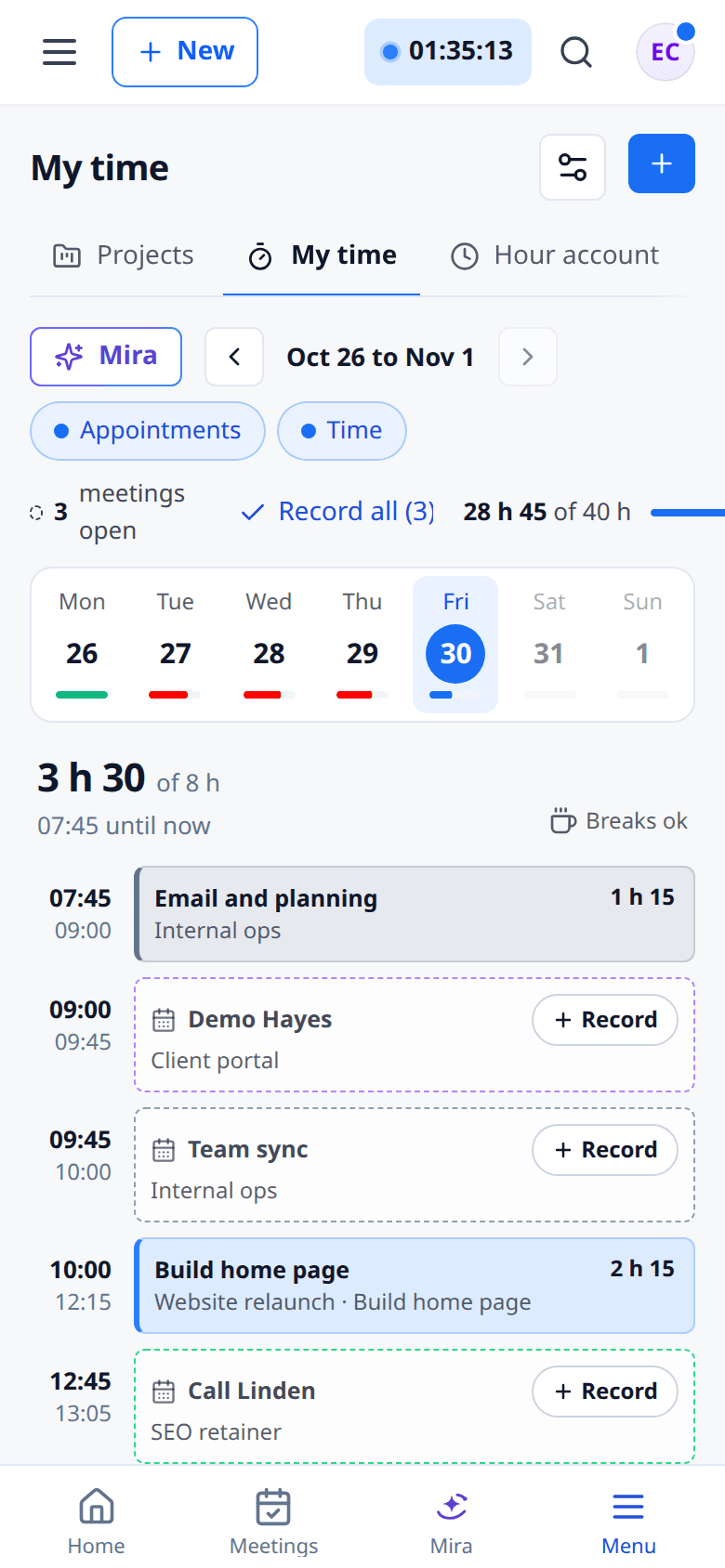
Timer, today's suggestions and your daily total in the meetergo app.
Worked stays worked
Rounding only applies when you bill. Your tracked duration stays exactly as it was.
How time tracking works
Four steps. Two of them happen on their own.
Start the timer
Pick a project and task, or tap a favourite. The timer runs in the top bar.
Meetings join in
After every meeting a draft waits in My time, without you typing a thing.
Confirm
Accept drafts one by one or all at once. If a project is missing, meetergo asks.
Report
Reports by customer and project, as CSV, PDF or Excel.
1My time: your day in one list
Entries, drafts and gaps in one place. Day and week totals sit at the top.
- Add time for past days
- Track a start and end, or just a duration
- Accept or dismiss drafts
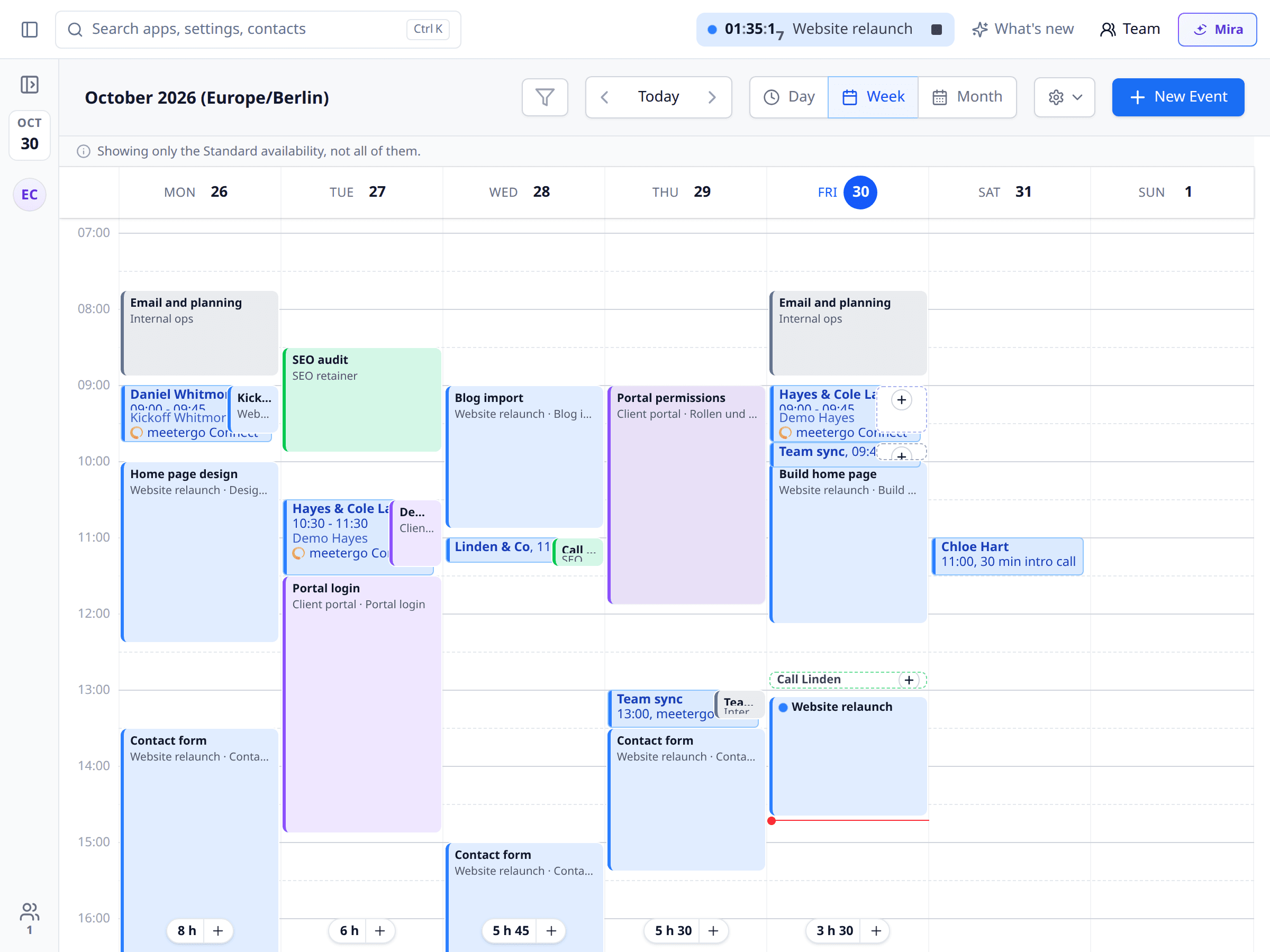
2A Time layer in your calendar
Switch on the Time layer in the calendar. Tracked time sits next to your meetings in the week view.
- Click a meeting and keep it as time
- Day and week totals in the calendar
- Add time to any day straight from the grid
3Time tracking app and Chrome extension
The same timer in the meetergo app and in your browser. It runs on the server, not on the device.
- App: timer, today's suggestions, daily total
- Extension: timer, today's drafts, time tracked today
- Optional: the running timer on every website
More than a timer
Small things that save time while you track it.
Track time in Gmail
A button in Gmail finds the CRM contact by the sender and recipient addresses and starts the timer. It never reads the email body.
Stop with undo
Stopped too early? Undo and keep going. If the timer ran for less than a minute, nothing is recorded.
Export to CSV, PDF and Excel
Reports by customer and project, for your team or your accountant.
Which plan?
Time tracking is in every plan, including the free one.
- All plans
For you
All plansTimer, drafts from meetings, My time, the calendar layer, app, Chrome extension and your own reports.
- Light and up
For your team
Light and upTeam time, shared projects and hours turned straight into an invoice.
- Suite and up
With hourly rates
Suite and upHourly rates by rule, project costs and your own project templates.
FAQ
Questions about time tracking
Our Trusted Clients
One of 18 apps in the meetergo suite
Every app shares the same contacts, calendars and automations. One login, one price, one contract instead of ten subscriptions.

Replace five tools with one. Add only the apps you need.
Start with scheduling. Turn on forms, video, CRM and AI notes only when they fit your workflow.

No credit card required. Cancel anytime.