From appointment to invoice: billable hours without retyping
Appointment, project, time and invoice live in one suite. Billing your hours in meetergo means checking and approving, not retyping.
Our Trusted Clients









One flow instead of five tools
Each app hands its result to the next.
Nothing to retype
Customer, budget and times come from the appointment, deal or offer.
Billed once
An hour lands on one invoice only, whichever app it came from.
Hourly products by duration
Lines in hours bill the real duration, not a flat quantity of one.
Money only with approval
Invoices and messages to customers stay proposals until you approve them.
How project billing works
From the first meeting to the paid invoice
The appointment ends
The booking becomes a time draft in My time.
A project starts
From a won deal, an accepted offer or a signed contract.
The team works
Tasks on the board, time by timer, calendar or phone.
Invoice for approval
Unbilled hours become an invoice draft. You check it and send it.
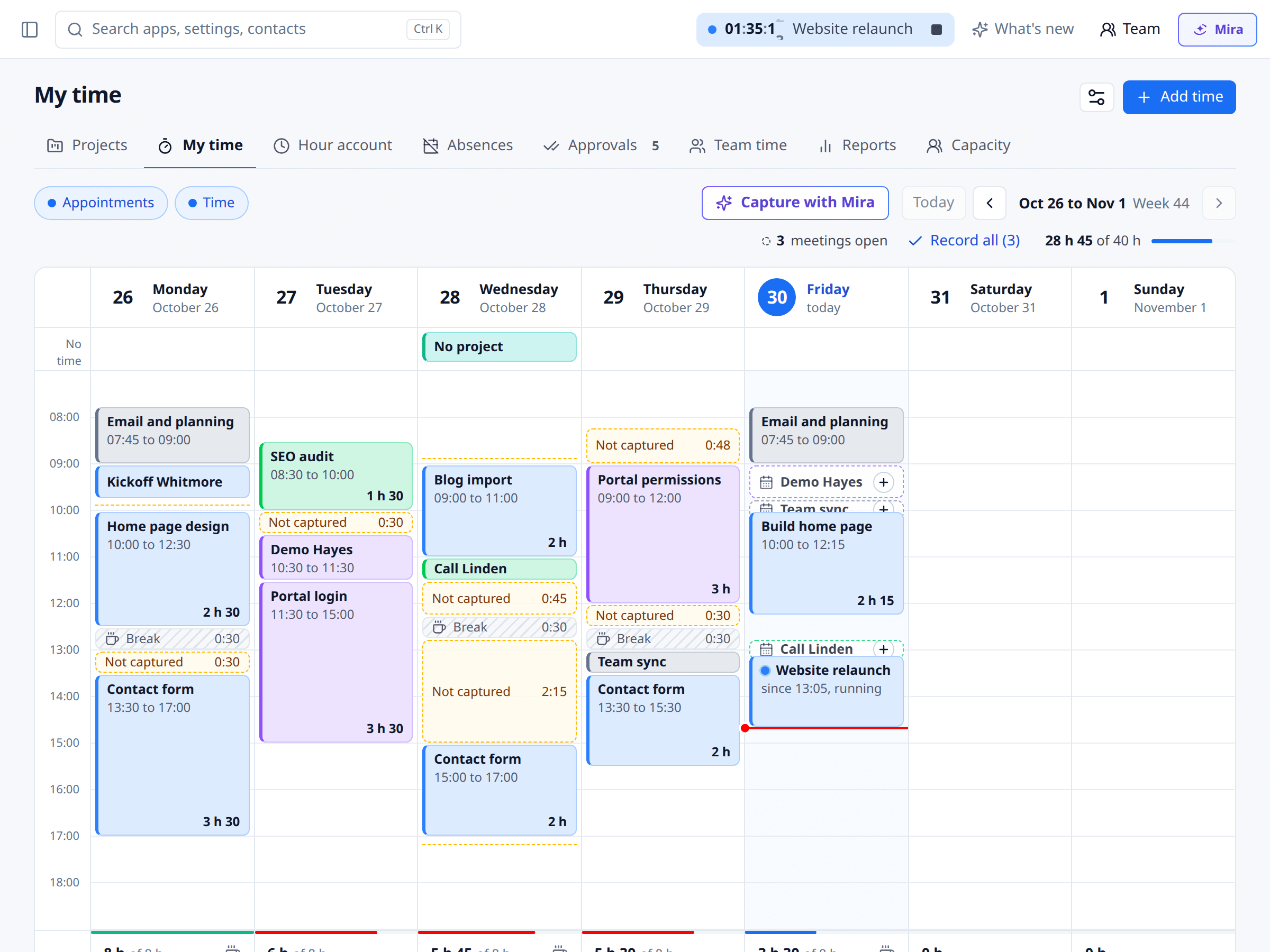
1Appointments become time
When a booking is over, a time draft is waiting in your week.
- With the customer and duration from the appointment
- Cancellations and reschedules update the draft
- You confirm before the time counts
2Deals and offers become projects
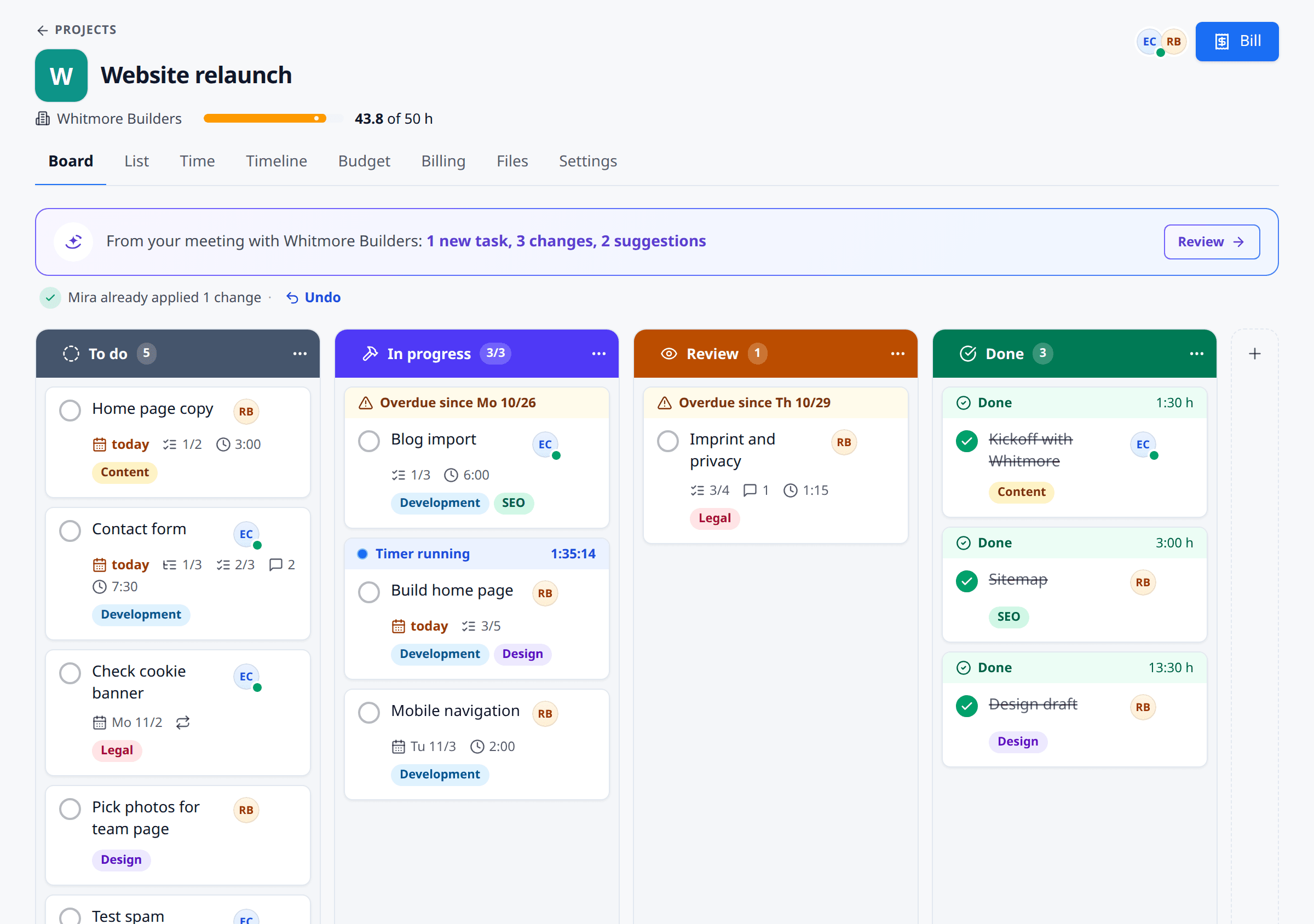
Turn a won deal into a project in one click. An accepted offer creates it automatically.
- Budget from the offer lines: hours or amount
- A customer's projects show on the company and contact in the CRM
- A signed contract suggests a project
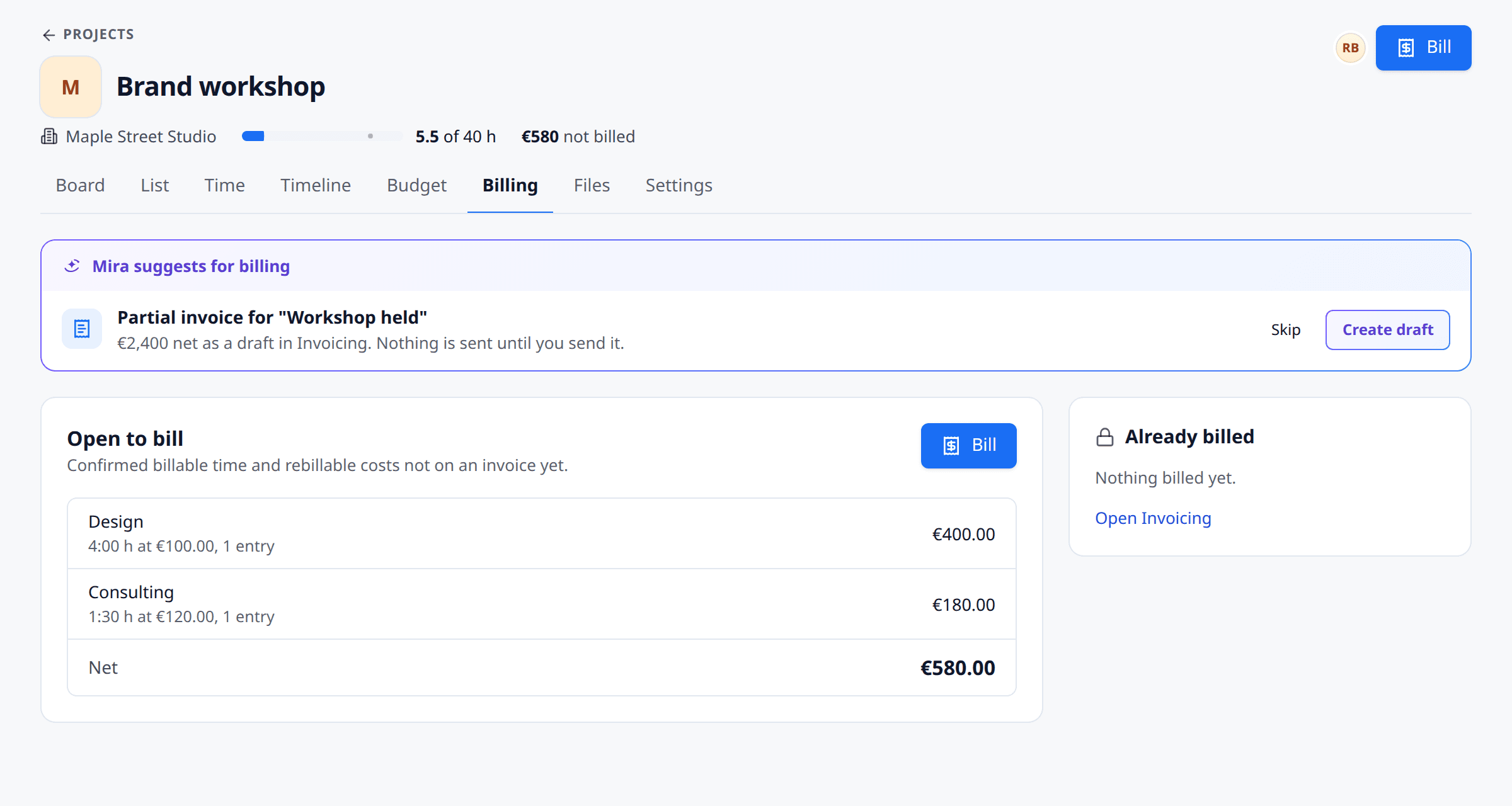
3Bill hours without counting them twice
The Billing tab shows what is open. It becomes an invoice draft in Invoicing.
- Final invoice when a project with unbilled hours is done
- Partial invoice at a finished milestone, a draft at month end for retainers
- Cancelled invoice or deleted draft: the hours are billable again
What each app adds
Each app, one step
Scheduling
Finished appointments become time drafts.
Open the appCRM
A won deal becomes a project in one click. Projects show on the customer.
Open the appInvoicing
An accepted offer becomes a project. Unbilled hours become an invoice draft.
Open the appE-Signatures
A signed contract suggests a project. Fixed price acceptance goes out for signature.
Open the appSpaces
A customer space with project progress. Shared only when you click.
Open the appDocs
A project's files and notes live as Docs on the project.
Open the app
Ground rules
Connected, never pushy
One hint, once
If an app is not switched on, you see one hint. Dismiss it and it never comes back.
Customers or money: a proposal
Anything that contacts a customer or touches money waits in Approvals for a person.
Which plan
Time drafts from appointments, projects on the customer and Docs on every plan. Projects from deals, offers and contracts, invoice drafts and Spaces from Light.
More in Time & Projects
The parts in detail
FAQ
Questions about project billing
Our Trusted Clients
One of 18 apps in the meetergo suite
Every app shares the same contacts, calendars and automations. One login, one price, one contract instead of ten subscriptions.

Replace five tools with one. Add only the apps you need.
Start with scheduling. Turn on forms, video, CRM and AI notes only when they fit your workflow.

No credit card required. Cancel anytime.