
Key Takeaways
- "Meeting minutes software" describes two different product categories that happen to share a search term. One captures what was said and summarises it. The other produces a structured record that survives an audit. Our top picks by job: meetergo for minutes that never upload audio, Fireflies for searching a large call archive, and Beenote for formal board minutes with votes and resolutions.
- AI note-taking is usually priced as an add-on, not as part of the plan you think you're buying. ClickUp's AI notetaker sits in a $28/user/month tier stacked on top of the base subscription, and Notion's AI Meeting Notes only unlocks at the €19.50/member Business plan.
- Where the audio goes matters more than the summary quality. Most tools in this category upload meeting recordings to US-hosted infrastructure. If your meetings cover personnel, patients, or deal terms, that is a procurement question before it is a feature question.
- Boards and committees need functionality that AI notetakers don't have. Resolution registers, electronic voting, and formal approval workflows exist only in governance-focused tools, and no amount of transcript quality substitutes for them.
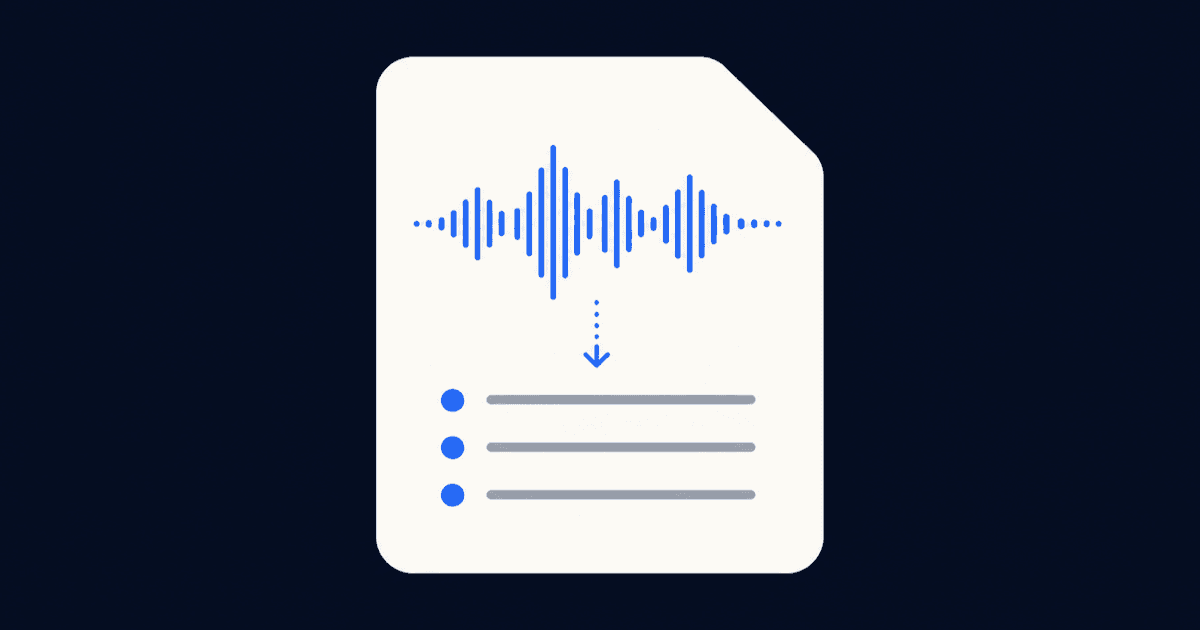
Most tools sold as meeting minutes software don't produce minutes. They produce transcripts, then run a summariser over them, which is a genuinely useful thing that is not the same as a record of who attended, what was decided, and who owns the follow-up.
That distinction is invisible on a pricing page and expensive to discover in month three. The list below covers both halves of the category, with pricing verified on 2026-08-11 and the gaps named rather than buried. Some of these tools will be wrong for you, and the sections say which.
Meeting Minutes Software at a Glance
| Tool | Best for | Entry price | Free tier |
|---|---|---|---|
meetergo | Minutes without uploading audio to a vendor | €0 | Yes, all Log features |
Toolmeetergo Best forMinutes without uploading audio to a vendor Entry price€0 Free tierYes, all Log features | |||
Fireflies.ai | Searching a large archive of past calls | $10/seat/mo (annual) | Yes, 400 mins storage |
ToolFireflies.ai Best forSearching a large archive of past calls Entry price$10/seat/mo (annual) Free tierYes, 400 mins storage | |||
Otter.ai | Live transcription you read as it happens | $8.33/user/mo (annual) | Yes, 300 mins/mo |
ToolOtter.ai Best forLive transcription you read as it happens Entry price$8.33/user/mo (annual) Free tierYes, 300 mins/mo | |||
Fellow | Recurring agenda-driven meetings and 1:1s | $7/user/mo (annual) | Yes, 5 AI notes lifetime |
ToolFellow Best forRecurring agenda-driven meetings and 1:1s Entry price$7/user/mo (annual) Free tierYes, 5 AI notes lifetime | |||
Beenote | Boards needing a resolution register | ~$4.60/user/mo (annual block) | Trial, then limited free mode |
ToolBeenote Best forBoards needing a resolution register Entry price~$4.60/user/mo (annual block) Free tierTrial, then limited free mode | |||
Notion | Teams already living in a Notion workspace | €9.50/member/mo | Yes, AI notes excluded |
ToolNotion Best forTeams already living in a Notion workspace Entry price€9.50/member/mo Free tierYes, AI notes excluded | |||
ClickUp | Turning decisions straight into tracked tasks | $7/user/mo (annual) | Yes, AI notetaker excluded |
ToolClickUp Best forTurning decisions straight into tracked tasks Entry price$7/user/mo (annual) Free tierYes, AI notetaker excluded | |||
Diligent Boards | Regulated boards with formal approval chains | Quote only | No |
ToolDiligent Boards Best forRegulated boards with formal approval chains Entry priceQuote only Free tierNo | |||
Microsoft OneNote | Manual minutes inside an existing M365 estate | Included with M365 | Yes |
ToolMicrosoft OneNote Best forManual minutes inside an existing M365 estate Entry priceIncluded with M365 Free tierYes | |||
First, Decide Which Kind of Minutes You Actually Need
There are three jobs hiding under one keyword, and the tool that does one well is usually mediocre at the others.
- Recall minutes. You want to remember what was said and find it again later. This is what Fireflies, Otter, and most AI notetakers are built for. Success looks like accurate transcription and fast search across months of calls. If this is your job, our ranking of the best AI note takers sorts them by where the audio goes.
- Working minutes. You want the meeting to produce owned, dated follow-up that someone chases. Fellow and ClickUp target this, and the measure is whether action items leave the document and land in someone's workload.
- Governance minutes. You need a record that stands up to a regulator, an auditor, or a court. That means attendance, motions, votes, resolutions, and a documented approval chain. Beenote and Diligent serve this, and an AI summary is not an acceptable substitute.
Warning: Governance teams routinely discover this after standardising on a notetaker, because minutes carry evidentiary weight that a conversation summary does not.
Pick the job first. The rest of this comparison assumes you have.
And if the honest answer is that you need the document, not a product, grab a free meeting minutes template first. A fixed field list solves the recall and working cases for many teams before any software enters the budget.
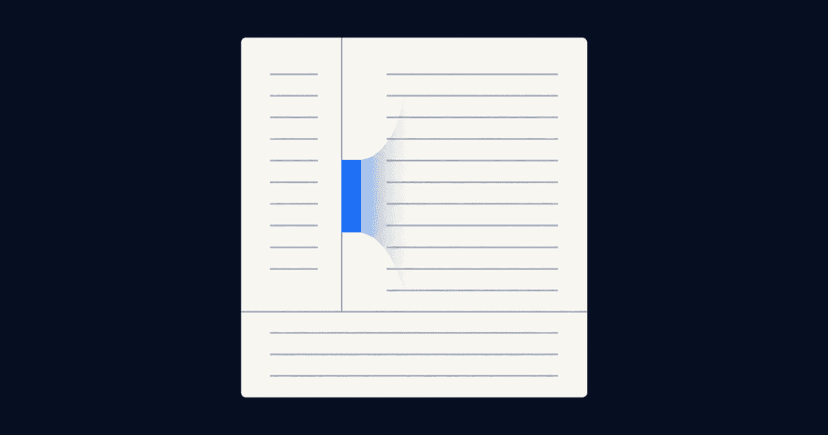
Working minutes also depend on how the page is laid out, not only on which tool records the call. A cue column for the questions and a summary strip for the decisions keeps the follow-up separate from the transcript. We cover the Cornell method for meeting notes separately, including the two situations where the layout stops working.
One more decision sits upstream of the tool: how often the meeting should recur in the first place. Minutes from a slot nobody needs are still overhead, however well they are captured.
1. meetergo: Best for Minutes Without Sending Audio to a Vendor
meetergo is a Cologne-built scheduling and meeting platform, and its Log app handles meeting capture. The differentiator is architectural: Log transcribes on your own machine using local Whisper models, so recordings and transcripts are never uploaded to meetergo or anyone else. No bot joins the call, and the core features work without an account. For teams whose meetings touch personnel files, patient details, or deal terms, that removes the procurement conversation entirely.
Pro tip: There is nothing to review about a vendor's retention policy when the vendor never receives the audio. If your DPO review keeps stalling on notetaker vendors, start the shortlist with tools that process locally.
Key Features
On-device transcription with local Whisper
Log runs the transcription model on your own laptop, covering 40+ languages with automatic detection. Because nothing is uploaded, it keeps working offline, and there is no per-minute meter counting down while you talk.

Structured minutes, not just a summary
The AI summary produces meeting minutes with the sections a record needs rather than a paragraph of prose. It handles speaker recognition, so attributions survive into the written output.

Automatic tasks with owners and deadlines
Log extracts action items and attaches an owner and a due date to each one, then drafts the follow-up email. This is the step that separates a transcript from a working record.
A free minutes generator with no sign-up
Separately from Log, meetergo publishes a free meeting minutes template generator that runs entirely in the browser. It produces action, decision, or discussion minutes and exports to Word, Markdown, or PDF, with nothing uploaded to a server.
Pricing
| Plan | Price |
|---|---|
Free | €0/mo, free forever |
PlanFree Price€0/mo, free forever | |
Light | €9.90/mo |
PlanLight Price€9.90/mo | |
Suite (all apps) | €29.90/mo, regular €34.90 |
PlanSuite (all apps) Price€29.90/mo, regular €34.90 | |
Premium | €49.90/mo, regular €59.90 |
PlanPremium Price€49.90/mo, regular €59.90 | |
Enterprise | On request, 30+ users |
PlanEnterprise PriceOn request, 30+ users | |
Log's recording, transcription, summaries, search, and export are free forever on every plan, including Free. Paid plans add unlimited AI questions, automatic tasks, and custom vocabulary. Full details sit on the meetergo pricing page.
Where meetergo Shines
- Meeting audio never leaves the device, which closes the data-transfer question rather than answering it
- Transcription is unmetered, so there is no minute cap to budget around
- Minutes, tasks, and follow-up email come out of one pass
- The template generator is genuinely free and needs no account
- Capture sits alongside scheduling, video, and CRM under one subscription
Where meetergo Falls Short
- Local processing means no central admin console and no org-wide audit log of what your team recorded, which is exactly what a security team reviewing 500 seats will ask for
- It is not governance software: there is no resolution register, no electronic voting, and no statutory approval workflow, so regulated boards need a dedicated board portal
- Log currently ships for macOS and Windows, with Linux still pending
Customer Reviews
meetergo holds 4.75 out of 5 across 62 reviews on OMR Reviews. Reviewers there consistently point at setup speed and the breadth of what one subscription covers rather than at transcription quality specifically, which reflects that Log is a newer part of the platform than scheduling.
Who meetergo Is Best For
- Teams in regulated or confidentiality-sensitive work who cannot justify uploading meeting audio to a third party
- Organisations already paying for scheduling, video, and a notetaker separately who want fewer subscriptions
👉 Start free and record your first meeting locally. No credit card, live in 30 seconds.
2. Fireflies.ai: Best for Searching a Large Call Archive
Fireflies is an AI notetaker that joins video calls, transcribes them across 100+ languages, and layers search and conversation analytics on the archive. Its scope stops at the meeting record: video conferencing, scheduling, and CRM are separate purchases. Transcripts sit on US-hosted infrastructure under the EU-U.S. Data Privacy Framework rather than in EU data residency, HIPAA-BAA and audit logs are Enterprise-only, and AI capability is metered by tiered credits.
Key Features
AI search across meeting history
Fireflies indexes every transcript so you can search across months of calls and jump to the moment a topic came up, which is where it earns its place for teams with a large back catalogue.
Summaries with decisions and action items
Its AI summaries pull out decisions, action items, and key topics, and reviewers report the output is accurate enough to scan instead of re-reading the transcript.
CRM and workflow integrations
It connects to HubSpot, Salesforce, Slack, Notion, Greenhouse, and Lever, among others, so summaries land where the rest of the team works.
Pricing
| Plan | Price |
|---|---|
Free | $0, 400 mins storage/team |
PlanFree Price$0, 400 mins storage/team | |
Pro (annual / monthly) | $10 / $18 per seat/mo |
PlanPro (annual / monthly) Price$10 / $18 per seat/mo | |
Business (annual / monthly) | $19 / $29 per seat/mo |
PlanBusiness (annual / monthly) Price$19 / $29 per seat/mo | |
Enterprise | $39 per seat/mo, annual only |
PlanEnterprise Price$39 per seat/mo, annual only | |
Prices checked 2026-08-11. Recording length caps run 2 hours on Free and Pro, 3 hours on Business, and 4 hours on Enterprise.
Shines / Falls Short
- Shines: cross-meeting search is the strongest in this list for teams with a real archive
- Shines: the free tier includes unlimited transcription, unusual at this price point
- Falls Short: cost scales linearly with headcount, and reviewers on Capterra flag surprise charges for extras
- Falls Short: speaker labels degrade when participants talk over each other or audio quality drops
Customer Reviews
Fireflies holds 4.9 out of 5 across 735 reviews on Capterra, and its own site cites a 4.8 on G2, so the satisfaction signal is consistent across platforms. The most-cited complaint is pricing structure rather than product quality, with reviewers describing costs as high and billing as confusing for light users.
Best For
Revenue and recruiting teams running high call volume who need to search what was said months ago. If you are weighing it against EU-hosted options, we compare the field in our Fireflies alternatives roundup.
3. Otter.ai: Best for Live Transcription You Read in Real Time
Otter transcribes meetings live, so you can read the text as the conversation happens, and adds AI chat across your meeting history. It does nothing beyond that record: no scheduling, no video hosting, no CRM. Data sits on AWS in the United States, its own privacy policy states it trains proprietary AI on de-identified recordings, and even paid Pro accounts hit a 1,200-minute monthly ceiling with a 90-minute per-meeting cutoff.
Key Features
Live transcript during the call
The transcript builds as people speak, which suits anyone joining late or running a meeting where a participant needs to read along rather than listen.
AI chat across meetings
You can ask questions spanning multiple past meetings rather than a single transcript, useful for reconstructing a decision that unfolded over several calls.
Calendar and platform integrations
It connects to Zoom, Microsoft Teams, and Google Meet, with Salesforce, HubSpot, and Zapier available from Pro upward.
Pricing
| Plan | Price |
|---|---|
Basic | Free forever, 300 mins/mo |
PlanBasic PriceFree forever, 300 mins/mo | |
Pro (annual / monthly) | $8.33 / $16.99 per user/mo |
PlanPro (annual / monthly) Price$8.33 / $16.99 per user/mo | |
Business (annual / monthly) | $19.99 / $30 per user/mo |
PlanBusiness (annual / monthly) Price$19.99 / $30 per user/mo | |
Enterprise | Custom, demo required |
PlanEnterprise PriceCustom, demo required | |
Prices checked 2026-08-11. We break the tiers down further in our guide to Otter.ai pricing.
Shines / Falls Short
- Shines: live transcription is the cleanest in this comparison
- Shines: the free tier is generous enough to evaluate properly
- Falls Short: accuracy drops noticeably with accents and background noise, per Capterra reviewers
- Falls Short: the AI-training clause in its own privacy policy is a hard blocker for confidential meetings
Customer Reviews
Otter holds 4.4 out of 5 across 102 reviews on Capterra, the lowest score among the AI notetakers here. Reviewers praise the calendar integrations and criticise transcription consistency and how action items are surfaced, which lines up with the accent and background-noise complaints in the Falls Short list above.
Best For
Individuals and small teams who want a live transcript and can accept US processing. Teams that can't should read our Otter.ai alternatives comparison.
4. Fellow: Best for Recurring Agenda-Driven Meetings
Fellow builds around the agenda rather than the recording, with collaborative pre-meeting agendas, templates, and action items that carry between recurring sessions. That focus shows in what's absent: the free plan caps AI notes and recordings at five lifetime each per user, so it functions as a demo rather than a working tier, and there is no video conferencing, no scheduling engine, and no governance features such as voting or a resolution register.
Key Features
Collaborative agendas with templates
Agendas are built jointly before the meeting, with workspace-wide templates on paid tiers, which is the mechanism that makes its minutes structured rather than narrative.
Action items with multiple assignees and due dates
Action items support multiple owners and deadlines on paid plans, and they persist across recurring meetings so unfinished items resurface instead of disappearing.
AI notes and recordings across 99 languages
Audio and video uploads get AI summaries and transcription, with unlimited records from the Business tier upward.
Pricing
| Plan | Price |
|---|---|
Free | $0, 5 AI notes and 5 recordings lifetime |
PlanFree Price$0, 5 AI notes and 5 recordings lifetime | |
Team (annual / monthly) | $7 / $11 per user/mo |
PlanTeam (annual / monthly) Price$7 / $11 per user/mo | |
Business (annual / monthly) | $15 / $23 per user/mo |
PlanBusiness (annual / monthly) Price$15 / $23 per user/mo | |
Enterprise | $25 per user/mo annual, or contact sales |
PlanEnterprise Price$25 per user/mo annual, or contact sales | |
Prices checked 2026-08-11.
Shines / Falls Short
- Shines: the agenda-first structure produces genuinely usable working minutes
- Shines: action-item tracking is the feature reviewers single out most often
- Falls Short: the free tier's lifetime caps make it unusable as a permanent plan
- Falls Short: reviewers report occasional load delays and notes failing to save
Customer Reviews
Fellow holds 4.9 out of 5 across 37 reviews on Capterra. The sample is small enough to treat as directional rather than conclusive, and the recurring praise is specifically about action-item tracking. The load delays and unsaved notes in the Falls Short list come from the same review base, so both signals share that small sample.
Best For
Managers running structured 1:1s and recurring team meetings where follow-through matters more than transcript fidelity.
5. Beenote: Best for Boards That Need a Resolution Register
Beenote is built for governance rather than recall, splitting into a team product and a board product. Its scope is narrow by design: there is no AI notetaker joining your calls and no cross-meeting AI search, and the team-tier plan omits the governance features that are the reason to look at it in the first place. Resolution management, electronic voting, and secretary mode all sit in the higher Beeboard tier.
Key Features
Resolution management and electronic voting
Beeboard tracks resolutions and runs electronic votes inside the meeting record, which is the functional gap between governance minutes and an AI summary.
Confidential secretary mode
A secretary can maintain private working notes alongside the shared minutes, matching how board minutes get drafted before approval.
Agenda templates with approval workflows
Agendas run through defined approval steps, so the document has a signed-off state rather than a last-edited timestamp.
Pricing
| Plan | Price |
|---|---|
Beenote (10 users) | $552 USD/yr, about $4.60/user/mo |
PlanBeenote (10 users) Price$552 USD/yr, about $4.60/user/mo | |
Beeboard (7 users) | $1,260 USD/yr, about $15/user/mo |
PlanBeeboard (7 users) Price$1,260 USD/yr, about $15/user/mo | |
Beenote + Beeboard | On request |
PlanBeenote + Beeboard PriceOn request | |
Prices checked 2026-08-11. There is a 30-day trial with no card required, a limited free mode afterwards, and a 20% nonprofit discount. Data hosting location is not stated on the pricing page.
Shines / Falls Short
- Shines: the only tool here under $20/user that includes voting and a resolution register
- Shines: minutes are written during the meeting rather than generated afterwards
- Falls Short: licences sell in blocks of 10, 20, 30, or 50, which is awkward for smaller boards
- Falls Short: the review base is thin, so there is little independent signal on reliability
Customer Reviews
Beenote shows 4.5 out of 5 on Capterra, but across only 2 reviews. If Beenote makes your shortlist, weigh the trial more heavily than the rating: 30 days with no card required is enough to run the resolution workflow on a real board meeting.
Note: A rating built on two data points is not evidence, and it should not carry weight in a shortlist decision.
Best For
Boards, committees, and nonprofit organisations that need a defensible record and cannot use a conversation summariser.
6. Notion
Notion works as meeting minutes software when your team already runs its documentation there, with meeting notes sitting next to project pages and databases. The catch is tier placement: AI Meeting Notes is a Business-plan feature at €19.50/member/month, and zero data retention with LLM providers only appears on Enterprise (checked 2026-08-11). Free and Plus users are writing minutes by hand.
It holds 4.7 out of 5 across 2,789 reviews on Capterra, where the dominant complaint is slow loading on large databases.
7. ClickUp
ClickUp's argument is that a decision should become a tracked task without a copy-paste step, and its docs and task system deliver that. The pricing is where it gets uncomfortable. The base Business plan is $12/user/month annually, and the AI notetaker lives in the Everything AI add-on at $28/user/month on top (checked 2026-08-11), which makes automated minutes the most expensive line item in this comparison.
It holds 4.6 out of 5 across 4,615 reviews on Capterra. The most-cited complaint is lag and slowdowns.
8. Diligent Boards
Diligent sells a board portal with an AI minutes builder that drafts from agendas, notes, materials, and transcripts, captures date, time and attendance automatically, then moves minutes from draft to review with assigned reviewers and electronic signature. Its page does not describe vote tracking, and no pricing is published anywhere on it: access runs through a demo or a pricing request (checked 2026-08-11). This is enterprise governance tooling, priced accordingly.
9. Microsoft OneNote
OneNote is the default answer inside a Microsoft 365 estate, and for manually written minutes stored next to Outlook and Teams it is adequate and already paid for. It generates nothing on its own. Automatic transcription and meeting recap live in Teams behind a Copilot licence, not in OneNote, so "free" here means free manual typing. Organisations weighing how much of the M365 stack they need can compare the wider picture in our Microsoft 365 alternative breakdown.
What to Check Before You Commit
Where does the audio actually go?
Most tools in this category upload recordings to US infrastructure and cover EU transfers with a legal framework rather than in-region hosting. That is a legitimate mechanism, and it is also a question your DPO will ask. If the answer needs a paragraph, budget time for review. Our guide to GDPR obligations when using an AI notetaker covers what the controller is responsible for, which is more than most buyers expect. Local processing sidesteps the question entirely: on-device Whisper transcription is what meetergo Log uses in place of a cloud upload.
What does the AI tier cost in practice?
The advertised plan price and the price with working AI minutes are frequently different numbers. Check whether the notetaker is included, add-on, or credit-metered, then recalculate at your real seat count. Flat-tier pricing avoids the arithmetic entirely.
Are minute caps going to bite?
Per-meeting and per-month ceilings look generous in a trial and constrain quickly in production. A team running eight hours of calls a week will pass most entry-tier limits inside a month.
Does anyone chase the action items?
Minutes that nobody reads are an archive, not a process. Prioritise tools that attach an owner and a date to each item, and check that the item leaves the document. A good meeting agenda template does half this work before the meeting starts.
Get Minutes Out of Every Meeting Without Uploading a Recording
If your shortlist keeps stalling on the data question, the fastest way through it is to remove the transfer. meetergo Log records, transcribes, and writes structured minutes with owned action items on your own machine, free on every plan, and the browser-based minutes generator needs no account at all.
👉 Try meetergo Log free. Cancel anytime, no credit card required.
Booking + video conferencing in one tool.

Booking + video conferencing in one tool.
Frequently Asked Questions
What is the difference between meeting minutes and a meeting transcript?
A transcript is a verbatim record of what was said. Minutes are a structured summary of attendance, decisions, and assigned actions. Most AI tools produce transcripts first and derive something minutes-shaped from them, which works for recall but not for formal governance records.
Can AI write legally valid board minutes?
AI can draft them, but board minutes need attendance, motions, votes, and a documented approval chain before they function as a formal record. Governance platforms such as Beenote and Diligent provide that workflow; general AI notetakers do not.
Is there genuinely free meeting minutes software?
Yes, with different limits. meetergo Log is free forever including transcription and summaries, and its browser-based minutes generator needs no sign-up. Otter's free tier allows 300 minutes a month, and Fireflies free includes unlimited transcription with 400 minutes of storage per team.
Do I need a bot to join my meetings?
No. Bot-based notetakers join as a visible participant, which some clients and candidates object to. System-audio capture records from your own device without adding an attendee, which is how meetergo Log works. We compare both approaches in our roundup of meeting transcription software.
Which meeting minutes software works best for GDPR-sensitive meetings?
The safest posture is one where meeting audio never crosses a border, because processing on the participant's own device removes the transfer question rather than documenting it. Where a tool does upload recordings, check for EU data residency rather than a transfer framework, and confirm in writing that recordings are not used for model training.
How accurate is automated transcription in practice?
Accuracy is high for clear audio in a common language and degrades with accents, crosstalk, and background noise, which reviewers cite as the leading complaint against several tools here. Expect to edit names, acronyms, and product terms regardless of vendor. Our AI transcription guide covers what moves accuracy most.
The drop is steepest when nobody is on a call at all. One microphone on a conference table roughly doubles the word error rate compared with headset audio, so capturing minutes from a physical meeting needs its own setup.
Should I pick one tool for everything?
Only if your meetings are one kind. Many organisations run an AI notetaker for internal and client calls and a governance platform for board and committee meetings, because the second job has requirements the first tool structurally cannot meet.