
For years, Otter.ai was the undisputed king of meeting transcription. But as we move through 2026, the landscape has shifted. Users are no longer satisfied with "OtterPilot" bots that awkwardly crash sensitive meetings or the "Privacy Paradox" of sending every word of a confidential strategy session to US-based cloud servers.
The new standard for 2026 is Local AI. Professionals now demand tools that process audio on their own devices, offer GDPR compliance by default, and provide unlimited transcription without the $30/month price tag. Whether you're a lawyer protecting client privilege or a freelancer tired of minute caps, this list covers the best Otter alternatives to reclaim your privacy and your budget.
Why Users are Canceling Otter.ai in 2026
While Otter paved the way, it is increasingly viewed as "Legacy AI." Here’s why the mass exodus is happening:
- The "Bot" Fatigue: Clients and partners have grown weary of the "OtterPilot has joined the meeting" notification. In high-stakes environments—like legal consultations or HR disputes—a visible recording bot can feel intrusive and break trust.
- Pricing Inflation: Otter’s business plans have crept toward $35/month, making it one of the more expensive tools for teams that just need simple, reliable notes.
- Privacy & Sovereignty: For European users or those in regulated sectors (Finance, Health), US-cloud processing is a non-starter. The demand for 100% GDPR-compliant, local processing has never been higher.
The price creep is easy to underestimate, because the headline number hides annual upfront billing and per-minute caps. Before you renew, check what Otter.ai actually costs per user across all four plans, including the recording limits that quietly push teams from Pro onto Business.

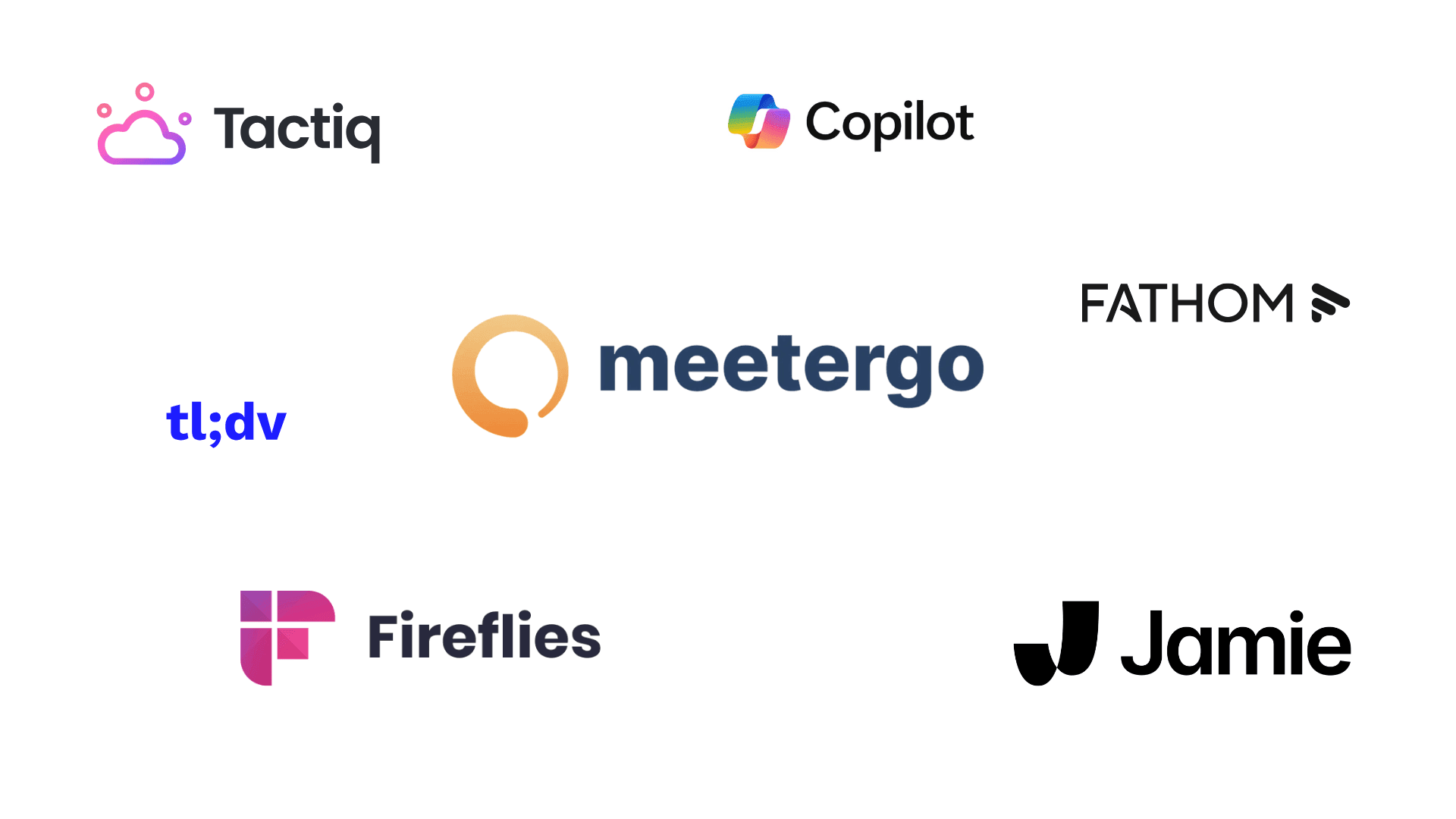
1. meetergo Log (The Best Overall Alternative) 🏆
Best For: Professionals who want a unified ecosystem for scheduling, recording, and 100% private notes.
meetergo Log has emerged as the top contender in 2026 because it solves the "Two-App Problem." Instead of paying for a scheduler (like Calendly) and a transcription tool (like Otter), meetergo integrates both into a privacy-first platform. It uses Local AI, meaning the audio never leaves your device to be processed, making it the gold standard for GDPR compliance.
Why it Beats Otter:
Unlike Otter, meetergo doesn't send a bot into your calls. It records via your system audio or browser, ensuring a professional, bot-free experience. Furthermore, while Otter limits its free users to 300 minutes, meetergo Log offers unlimited transcription on its free tier.
Pros & Cons
✅ Bot-Free Experience: No intrusive "OtterPilot" notifications; your meetings stay human-only.
✅ Unlimited Transcription: Record as many meetings as you want without worrying about minute caps.
✅ 100% GDPR Compliant: Data is hosted in Germany and processed locally on your machine.
✅ All-in-One Workflow: Seamlessly goes from a booked appointment to an AI-generated summary.
✅ Offline Mode: Works even when your internet connection drops.
❌ Learning Curve: Because it includes scheduling, it takes 5 minutes longer to set up than a standalone recorder.
❌ Desktop Heavy: The best features are optimized for the desktop app rather than mobile-only users.
- Link: Get meetergo Log for Free | G2 Reviews
Booking + video conferencing in one tool.

Booking + video conferencing in one tool.

2. Jamie (The Best Design & Simplicity)
Best For: Mac and Windows users who want a beautiful, standalone app that "just works."
Jamie is the "Apple" of meeting assistants. It’s a sleek desktop application that sits in your menu bar and records meetings across any platform—Zoom, Teams, Slack, or even in-person coffee chats. It is entirely bot-free, using your device's microphone and system audio to generate high-accuracy transcripts.
Why it Beats Otter:
Jamie’s summaries are notoriously more "human" than Otter's. It uses advanced LLMs to distill a 60-minute meeting into 5-6 bullet points that actually make sense. However, its pricing structure is much more restrictive for power users.
Pros & Cons
✅ Exceptional UI/UX: One of the most beautiful and intuitive interfaces in the AI space.
✅ Zero Integration Required: Works on any platform (even proprietary ones) because it records local audio.
✅ "Ask AI" Feature: You can chat with your meeting history to find specific details instantly.
✅ Local Processing: High marks for privacy; audio files are not stored on their servers.
❌ Restrictive Free Plan: The free version only grants ~10 meeting credits per month.
❌ No Built-in Scheduling: You still need a separate tool to book the meetings.
❌ Higher Price Point: Professional tiers can be more expensive than Otter for high-volume users.
- Link: MeetJamie.ai | G2 Reviews

3. Fathom (The Zoom Specialist)
Best For: Power users of Zoom who want a "clippable" video record of their calls.
Fathom gained massive popularity by being "free for individuals." It is built specifically to live inside video conferencing apps like Zoom and Microsoft Teams. While it still uses a "bot" (a visible participant), it offers unique video highlighting features that Otter lacks.
Why it Beats Otter:
Fathom is superior if you need to share video snippets. If a client says something brilliant, you can click a button to "clip" that 30-second video and send it to your team via Slack. Otter is primarily text-focused, making Fathom the better choice for researchers and product managers.
Pros & Cons
✅ Free Forever for Individuals: Truly unlimited usage for solo users without a subscription.
✅ Video Highlights: Create "Soundbites" or video clips to share with stakeholders instantly.
✅ Deep CRM Integration: Automatically pushes summaries into Salesforce, HubSpot, and Close.
✅ Instant Summaries: Notes are ready the second you hit "End Meeting."
❌ The "Bot" Issue: It still requires a visible bot to join the call, which may not be suitable for all professional contexts.
❌ Platform Dependent: While it supports Meet and Teams, its best features are heavily optimized for Zoom.
❌ Privacy: Because it is cloud-based, it may not meet the strict requirements of EU legal or medical firms.
- Link: Fathom.video

4. Fireflies.ai (The Sales/CRM Choice)
Best For: Sales teams and account managers who live in Salesforce, HubSpot, or Pipedrive.
Fireflies.ai is the heavyweight champion of "Conversation Intelligence." While most tools focus on just getting the words down, Fireflies focuses on what those words mean for your bottom line. It’s designed to automate the tedious data entry that sales reps hate. Its proprietary AI, "Fred," can track specific topics (like "pricing" or "competitors") across months of calls to show you trends in your sales cycle.
Why it Beats Otter:
Otter is a generalist; Fireflies is a specialist. If a customer mentions a budget of $50,000, Fireflies can automatically extract that number and update the "Deal Amount" field in your CRM. It also features Sentiment Analysis, which can flag a call as "Negative" if the customer sounds frustrated, allowing managers to intervene before a deal is lost.
Pros & Cons
✅ Deep CRM Automation: Automatically logs call notes and activities directly into Salesforce, HubSpot, and 10+ other platforms.
✅ Sentiment Analysis: Detects the "mood" of the meeting, identifying where customers were happy or hesitant.
✅ Smart Search: Quickly filter all your meetings for specific keywords like "objections" or "follow-up items."
✅ Topic Tracking: Set up alerts to notify you every time a specific product feature or competitor is mentioned.
❌ The Visible Bot: It uses a recording bot ("Fred") that must join the call, which can feel "salesy" or intrusive in private consultations.
❌ Premium Pricing: While there is a free tier, the advanced CRM integrations and analytics require the $19–$39/mo plans.
❌ Storage Limits: The free plan limits you to 800 minutes of total storage, which fills up quickly for high-volume teams.
- Link: Fireflies.ai

5. Microsoft Copilot (The Corporate Standard)
Best For: Enterprise teams already paying for Microsoft 365 and seeking maximum security.
If you work in a regulated industry (Banking, Insurance, Government) where IT departments block third-party "bots," Microsoft Copilot is your likely winner. Because it’s baked directly into the Microsoft Teams infrastructure, it doesn't "join" the call as a guest—it is the call.
Why it Beats Otter:
Security and ecosystem. Since Copilot is part of your existing Microsoft tenant, the data stays within your organization's security boundary. There is no risk of your transcripts being used to train external AI models. Plus, it can reference your Outlook calendar and Word docs to add context to your meeting summaries.
Pros & Cons
✅ IT Approved: Meets the highest enterprise security and compliance standards (SOC2, HIPAA, GDPR).
✅ No Bot Required: As a native feature of Teams, there is no awkward participant in the list.
✅ Cross-App Intelligence: Can summarize a meeting and then immediately draft a follow-up email in Outlook based on those notes.
✅ Live Summaries: You can ask Copilot "What did I miss so far?" while the meeting is still happening.
❌ The "Copilot Tax": It costs $30/user/month on top of your existing Microsoft 365 subscription.
❌ Platform Locked: It works beautifully in Teams, but it’s useless if you join a client’s Zoom or Google Meet link.
❌ Annual Commitment: Unlike most startups, Microsoft often requires an annual contract for Business/Enterprise tiers.

6. Tactiq (The Browser Extension)
Best For: Casual Google Meet users and researchers who want a "zero-footprint" solution.
Tactiq takes a completely different technical approach. Instead of using a bot or recording the audio, it’s a Chrome Extension that "listens" to the closed captions generated by your browser. It effectively scrapes the live text and saves it as a structured transcript.
Why it Beats Otter:
It is truly invisible. There is no bot, and because it’s not "recording" audio in the traditional sense, it feels much lighter and more private. It’s perfect for freelancers who want to take notes without making it a "thing" that everyone has to consent to on camera.
Pros & Cons
✅ Completely Bot-Free: No one will ever know you’re using it unless you tell them.
✅ Lightweight: No software to install; it lives entirely in your Chrome or Edge browser.
✅ Screenshot Capture: You can click a button to snap a photo of a shared screen and embed it directly into the transcript.
✅ Generous Free Tier: Offers 10 free meetings per month, which is plenty for casual users.
❌ No Audio/Video Record: Because it only saves text, you cannot go back and listen to a specific moment if the transcript is wrong.
❌ Browser Only: If you use the Zoom or Teams desktop app, Tactiq cannot "see" the meeting. You must join via the browser.
❌ Accuracy: It relies on the meeting platform's native captions, which can be less accurate than the high-end AI engines used by meetergo or Jamie.
Booking + video conferencing in one tool.
Booking + video conferencing in one tool.

7. TL;DV (The Video Specialist)
Best For: Product Managers, UX Researchers, and anyone who needs to "show, not just tell."
TL;DV (short for "Too Long; Didn't View") treats meetings like a video library. While Otter gives you a wall of text, TL;DV gives you a high-definition video record with timestamped "highlights." It’s built for asynchronous teams where one person attends the meeting and everyone else watches the "best bits" later.
Why it Beats Otter:
If you’re doing user testing, a transcript of "The user struggled with the button" isn't as powerful as a 15-second video clip of the user actually struggling. TL;DV makes it incredibly easy to "clip" those moments and share them in a Slack channel or Notion page.
Pros & Cons
✅ Video Highlights: Create "Soundbites" from your meetings to share with stakeholders who don't have time to watch the full hour.
✅ Unlimited Video Storage: Even on the free plan, you get unlimited recording and storage for Zoom and Google Meet.
✅ Multi-Language Support: Automatically transcribes and summarizes in over 30 languages.
✅ Parallel Meetings: Can "attend" and record multiple meetings for you simultaneously if you are double-booked.
❌ Intrusive Bot: The "TL;DV Bot" is very visible and asks for permission to record, which can disrupt the flow of a meeting.
❌ Heavy UI: The interface is feature-rich but can feel overwhelming if you just want a simple text summary.
❌ Paid Clips: Some of the best "Reels" and automated clipping features are locked behind the $18/mo Pro plan.
- Link: tldv.io
Comparison: Otter vs. The Top Alternatives
| Feature | Otter.ai | meetergo Log | Jamie | Fireflies | Fathom | Tactiq | TL;DV |
|---|---|---|---|---|---|---|---|
Technology | Cloud Bot 🤖 | Local AI (No Bot) | Local AI (No Bot) | Cloud Bot 🤖 | Cloud Bot 🤖 | Browser Ext. | Cloud Bot 🤖 |
FeatureTechnology Otter.aiCloud Bot 🤖 meetergo LogLocal AI (No Bot) JamieLocal AI (No Bot) FirefliesCloud Bot 🤖 FathomCloud Bot 🤖 TactiqBrowser Ext. TL;DVCloud Bot 🤖 | |||||||
Free Plan | 300 Mins/Mo | Unlimited 🚀 | ~10 Mtg/Mo | 800 Mins Total | Unlimited | 10 Mtg/Mo | Unlimited |
FeatureFree Plan Otter.ai300 Mins/Mo meetergo LogUnlimited 🚀 Jamie~10 Mtg/Mo Fireflies800 Mins Total FathomUnlimited Tactiq10 Mtg/Mo TL;DVUnlimited | |||||||
Privacy | US Cloud | German Local 🔒 | Local | US Cloud | US Cloud | Local Text | US Cloud |
FeaturePrivacy Otter.aiUS Cloud meetergo LogGerman Local 🔒 JamieLocal FirefliesUS Cloud FathomUS Cloud TactiqLocal Text TL;DVUS Cloud | |||||||
Scheduling? | ❌ No | ✅ Yes | ❌ No | ❌ No | ❌ No | ❌ No | ❌ No |
FeatureScheduling? Otter.ai❌ No meetergo Log✅ Yes Jamie❌ No Fireflies❌ No Fathom❌ No Tactiq❌ No TL;DV❌ No | |||||||
Offline Mode? | ❌ No | ✅ Yes | ✅ Yes | ❌ No | ❌ No | ❌ No | ❌ No |
FeatureOffline Mode? Otter.ai❌ No meetergo Log✅ Yes Jamie✅ Yes Fireflies❌ No Fathom❌ No Tactiq❌ No TL;DV❌ No | |||||||
Critical Features to Look For (Buyer's Guide)
Bot-Free vs. Bot
In 2026, the visible recording bot has become a symbol of "cheap" automation. Tools like meetergo Log and Jamie use Local AI to capture audio directly from your system. This is more professional because:
Granola helped popularise that bot-free approach, though it captures locally and transcribes in the cloud. If that distinction matters for your data, our roundup of Granola AI alternatives compares eight notetakers on capture method, price and stated data residency.
- No Social Friction: You don't have to explain who "OtterPilot" is.
- Higher Trust: Participants speak more candidly when they don't see a "robot" watching them.
- Universal Compatibility: Local recorders work on any platform (Slack Huddles, FaceTime, etc.), not just the big three.
Scheduling Integration
Most professionals use a fragmented stack: Calendly to book, Zoom to talk, and Otter to record. This leads to "subscription fatigue." Integrated tools like meetergo combine the booking link with the recording tool. When a client books a slot, the AI is already primed to record and summarize that specific meeting type, saving you 10–15 minutes of manual work per call.
Data Sovereignty (Why EU-Hosting Matters)
If you handle client data in Europe, the CLOUD Act is a major risk. US-based companies (like Otter and Fireflies) can be compelled to hand over data to US authorities, even if that data is stored elsewhere. Choosing a tool with German local processing or EU-hosting ensures you stay 100% GDPR compliant and protects you from massive legal fines.
Switching vendors closes the transfer gap, but it does not close the paperwork. You still owe every participant a lawful basis, a disclosure before recording starts and a retention period you can name. Our guide to AI meeting notes under GDPR sets out the five steps, plus the meetings that are cheaper to leave untranscribed entirely.
If you are weighing exactly one of these switches, the head-to-head is faster than a list: Otter.ai vs meetergo Log covers pricing, minute caps and GDPR in detail, and the full AI notetaker comparison puts all seven tools in one table.
Conclusion: Which Tool Should You Choose?
The "best" tool depends entirely on your workflow:
- If you want deep Sales Analytics & CRM Sync: Choose Fireflies.ai. It is the most powerful tool for data-hungry sales teams.
- If you want the most beautiful, simple interface: Choose Jamie. It’s a joy to use for Mac and Windows purists.
- If you want Unlimited Notes + Built-in Scheduling: Choose meetergo Log. It’s the only tool that offers a complete, private, and unlimited ecosystem for the modern professional.
Ditch the bot. Switch to the unlimited, secure alternative.
Booking + video conferencing in one tool.
Booking + video conferencing in one tool.