
Key Takeaways
- The identity is what makes La Growth Machine expensive, and what makes it good. One identity bundles a LinkedIn profile, an email address and a phone number from €50 a month on annual billing. Teams that work two of those three channels are paying for a bundle they do not use.
- Match the billing unit before you compare features. Identities, seats and sender accounts are three different purchases: €50 per identity here, €19 per user on Waalaxy, $79 per sender account on HeyReach.
- Nine of the ten tools below end at the reply. Someone answers, a human opens a calendar and pastes a booking link. Warm answers cool off inside that gap.
- One vendor on this page publishes what its AI does with your prospect conversations. meetergo states zero data retention at the model provider; for the other nine there is no retention or training statement to quote, so this page says so instead of guessing.
- A 4.6 rating on 57 reviews is not the same evidence as a 4.6 on 2,323. Read the sample size next to every score below, because the review bases on this page differ by a factor of forty.
La Growth Machine starts at €50 per identity a month on annual billing (checked 5 October 2026), and every price on this page carries the unit it bills against plus the date it was read, because unit confusion is where comparisons on this topic usually go wrong. The one structural difference worth flagging up front: meetergo books the meeting inside the LinkedIn chat rather than handing the lead a link, and its assistant runs on EU-hosted models with zero data retention. The other nine tools stop at the reply, and none of them publishes a retention or training policy you can read.
What You Are Paying For With an Identity
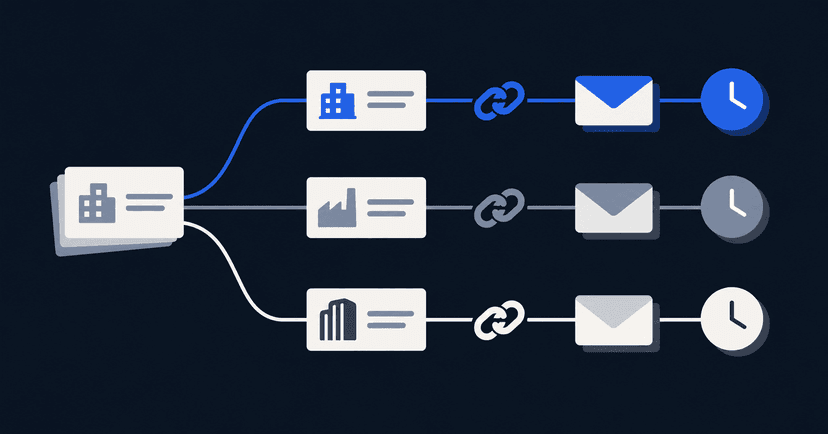
La Growth Machine sells multichannel sequences built around an identity: a LinkedIn profile, an email address and a phone number treated as one sending persona. A campaign can view a profile, connect, message, send email, then drop a voice note or a call task, all attributed to the same rep. For teams where every seller genuinely works all three channels, that model is clean, and the workflow builder is the part people name when they defend it.
The billing follows the design, and so does the cost curve.
| Plan | Price |
|---|---|
Basic | €50 per identity/month (annual billing) |
PlanBasic Price€50 per identity/month (annual billing) | |
Pro | €100 per identity/month (annual billing) |
PlanPro Price€100 per identity/month (annual billing) | |
Ultimate | €150 per identity/month (annual billing) |
PlanUltimate Price€150 per identity/month (annual billing) | |
Prices checked 5 October 2026.

On G2 it holds a 4.6 rating from 57 reviews (checked 5 October 2026). That is the highest average on this page and the smallest sample, which is a combination worth reading with care rather than as a verdict.

So people rarely leave because the sequencer misfires. Three motives recur. The per-identity bill scales badly once a team passes five or six reps, which a r/Botdog thread asking whether the Ultimate tier is worth its monthly figure works through in detail. Teams running LinkedIn only resent paying for an email and phone lane they never switch on. And the conversation stalls after a positive reply, because booking still means a human and a link.
Three Questions That Cut the List Down
Evaluating ten tools properly takes a week. Three questions remove most of them in an hour.
How many channels do your reps actually work?
Count the reps who send email and LinkedIn and call. If that number is most of the team, a multichannel tool is the right shape and lemlist is the closest structural match on this page. If LinkedIn carries the pipeline alone, you are funding two idle lanes per rep, and a LinkedIn-first tool at €19 to $99 a month does the same job.
What unit should you be billed against?
Identities, seats and sender accounts are not interchangeable. An agency sending on behalf of six clients wants per-sender pooling, where HeyReach's Agency tier covers 25 accounts for $999 a month. A founder doing their own outreach wants one seat at the lowest credible figure. Buying the wrong unit is a bigger cost error than picking the wrong feature set.
What happens in the four hours after someone says yes?
No pricing page answers this one. Nine of the ten here will ping you about the reply and stop there, leaving a person to open a calendar and copy a URL. A 40-comment r/b2bmarketing thread on outbound workflows circles the same handoff while debating which sequencer to trial. If your problem is reply volume, buy a better sequencer. If replies arrive and never become calls, a cheaper sequencer changes nothing.
The 10 La Growth Machine Alternatives at a Glance
Every row carries the vendor's cheapest published paid tier, the unit that tier bills against, and whatever the vendor says in public about AI data retention and model training.
| Tool | Entry price (billing basis) | G2 rating | Books the meeting? | AI data retention / training |
|---|---|---|---|---|
meetergo | €29.90 per LinkedIn account/month (monthly), €24.90 yearly | Not yet rated on G2 | Yes, inside the chat | Zero retention at the provider (Mistral in France, Melious in Germany), no training use |
Toolmeetergo Entry price (billing basis)€29.90 per LinkedIn account/month (monthly), €24.90 yearly G2 ratingNot yet rated on G2 Books the meeting?Yes, inside the chat AI data retention / trainingZero retention at the provider (Mistral in France, Melious in Germany), no training use | ||||
lemlist | $55/month, email tier (yearly) | 4.6 (2,323 reviews) | No, link handoff | Not stated |
Toollemlist Entry price (billing basis)$55/month, email tier (yearly) G2 rating4.6 (2,323 reviews) Books the meeting?No, link handoff AI data retention / trainingNot stated | ||||
HeyReach | $79/month per sender account (monthly) | 4.6 (73 reviews) | No, link handoff | Not stated |
ToolHeyReach Entry price (billing basis)$79/month per sender account (monthly) G2 rating4.6 (73 reviews) Books the meeting?No, link handoff AI data retention / trainingNot stated | ||||
Waalaxy | €19 per user/month (yearly, 50% off list) | 4.5 (1,604 reviews) | No, link handoff | Not stated |
ToolWaalaxy Entry price (billing basis)€19 per user/month (yearly, 50% off list) G2 rating4.5 (1,604 reviews) Books the meeting?No, link handoff AI data retention / trainingNot stated | ||||
Expandi | $99/month (monthly) | 4.3 (162 reviews) | No, link handoff | Not stated |
ToolExpandi Entry price (billing basis)$99/month (monthly) G2 rating4.3 (162 reviews) Books the meeting?No, link handoff AI data retention / trainingNot stated | ||||
Dripify | $39 per user/month (annual) | 4.5 (353 reviews) | No, link handoff | Not stated |
ToolDripify Entry price (billing basis)$39 per user/month (annual) G2 rating4.5 (353 reviews) Books the meeting?No, link handoff AI data retention / trainingNot stated | ||||
Sendpilot | $79/month for 1 sender (monthly) | 4.5 (209 reviews) | No, link handoff | Not stated |
ToolSendpilot Entry price (billing basis)$79/month for 1 sender (monthly) G2 rating4.5 (209 reviews) Books the meeting?No, link handoff AI data retention / trainingNot stated | ||||
PhantomBuster | €56/month, 20 execution hours (annual) | 4.4 (138 reviews) | No, link handoff | Not stated |
ToolPhantomBuster Entry price (billing basis)€56/month, 20 execution hours (annual) G2 rating4.4 (138 reviews) Books the meeting?No, link handoff AI data retention / trainingNot stated | ||||
Dux-Soup | €36.25 per seat/month (yearly, local) | 4.4 (90 reviews) | No, link handoff | Not stated |
ToolDux-Soup Entry price (billing basis)€36.25 per seat/month (yearly, local) G2 rating4.4 (90 reviews) Books the meeting?No, link handoff AI data retention / trainingNot stated | ||||
Linked Helper | $29.90/month | 4.5 (149 reviews) | No, link handoff | Not stated |
ToolLinked Helper Entry price (billing basis)$29.90/month G2 rating4.5 (149 reviews) Books the meeting?No, link handoff AI data retention / trainingNot stated | ||||
"Not stated" means we found no retention or training commitment the vendor publishes that could be read and cited. Nothing in that phrase asserts that data is kept or fed to a model.
1. meetergo: Best for Booking the Meeting Inside the Chat
meetergo is a Cologne-built scheduling and revenue platform with dedicated coverage for sales, recruiting, consulting, professional services and other verticals. Its LinkedIn app is the only tool here that confirms a meeting without a link: Mira, the built-in assistant, settles the slot in the thread while the prospect is still reading it. Billing is per connected LinkedIn account, so moving off a per-identity plan means comparing one number against another rather than rebuilding your seat maths.
Key Features
Booking inside the LinkedIn conversation
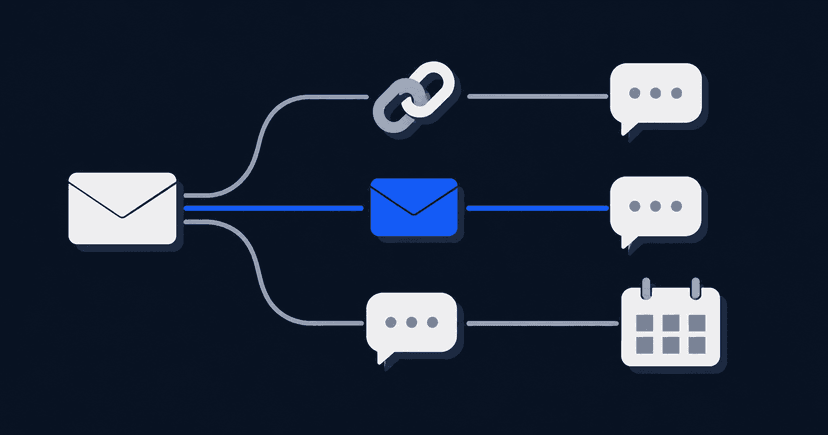
Free slots are pulled from whichever calendars are connected and offered in the lead's own time zone. Mira confirms whichever one they choose, attaches a meetergo video link, and records the meeting in the calendar and the CRM at the same time. A reschedule happens in the same thread instead of moving to email.

Lead import from seven sources
A list can be built from any of seven places: a LinkedIn search, Sales Navigator, Recruiter, the reactions under a post, an event's attendee list, a CSV file or a CRM tag, with a ceiling of 1,000 people per import. Contacts enter in the background at a human pace instead of arriving in one burst.

Sequences that branch on acceptance
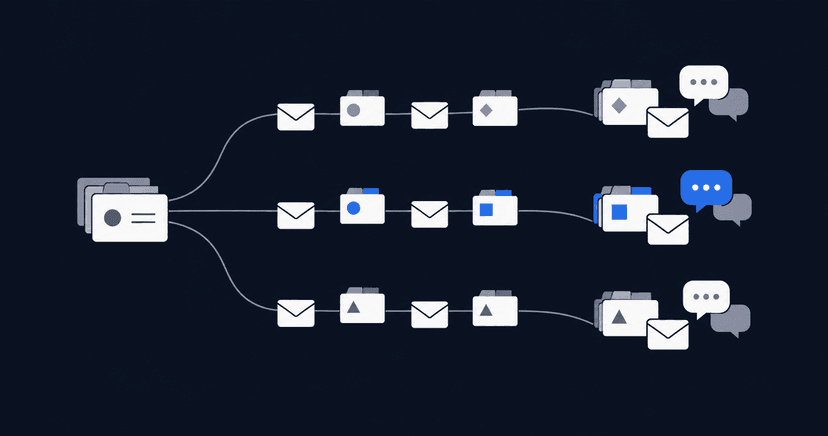
A campaign can view a profile, like a post, send a connection request with a note, then message or record a voice note, with the path forking on whether that request was accepted inside a set deadline. Anyone who never accepted stops receiving messages they cannot read.

One inbox for LinkedIn, WhatsApp and email
Every reply, company-page conversations included, arrives in one shared inbox that also carries WhatsApp and email. Voice notes, snoozing and a one-click save to CRM happen there too, and Mira tags each reply by intent so an interested answer is not buried behind forty out-of-office notices.

Pricing
| Plan | Price |
|---|---|
Free | €0/month, free forever, unlimited users |
PlanFree Price€0/month, free forever, unlimited users | |
Suite (all apps) | €34.90/user/month monthly, €29.90 billed yearly |
PlanSuite (all apps) Price€34.90/user/month monthly, €29.90 billed yearly | |
LinkedIn app | €29.90 per LinkedIn account/month monthly, €24.90 yearly (launch pricing) |
PlanLinkedIn app Price€29.90 per LinkedIn account/month monthly, €24.90 yearly (launch pricing) | |
One seat per LinkedIn account, volume discounts from 10 accounts, and a 7-day trial on the paid tiers. Full breakdown on meetergo pricing.
Where meetergo Shines
- Per-account billing lines up directly against a per-identity bill, with no bundled email or phone lane in the price.
- The slot is confirmed while the prospect is still in the thread, which is the window speed to lead exists to measure.
- The CRM and LinkedIn CRM view holding your deals are the same ones the outreach runs from, which removes the export step between systems.
- A confirmed call can kick off its own prep sequence, because workflow triggers listen for booking and deal events.

Where meetergo Falls Short
- LinkedIn is the only network it automates, so X, Instagram and general web extraction are out of scope.
- The app is priced on top of a plan subscription, so the bill stacks.
- There is no marketplace of prepackaged automations, so an unusual data job needs a second tool.
- No independent review profile exists yet, which is a real evidence gap against every tool below.
Customer Reviews
The LinkedIn app carries no G2 or Capterra listing of its own, and quoting a score earned by a different meetergo product would not be evidence for this one, so the rating column above stays empty on purpose. Treat that as the gap it is: every competitor here can be checked against a sample of strangers, and this one cannot yet. What exists is vendor-reported. The numbers on meetergo's sales solutions page, no-shows down 80% and sales cycles roughly 30% shorter, come from the company itself and not from reviewers, so weigh them accordingly until independent ratings accumulate.

Who meetergo Is Best For
- Teams losing deals between a reply and a confirmed call rather than on message volume.
- Buyers who need outreach, inbox, scheduling and CRM to sit under EU jurisdiction with a readable AI retention policy.
Turn the reply into a confirmed slot: open a free meetergo account. Unlimited users on the free plan, no card required.
2. lemlist: Best for Keeping the Multichannel Shape
Of everything on this page, lemlist is the closest match to the multichannel brief, with one difference in emphasis: it grew out of cold email, so deliverability tooling and inbox warming are the mature parts and LinkedIn is a lane beside them rather than the centre. The same r/RecruitingAutomation thread comparing La Growth Machine alternatives reaches for it first for that reason. The trade shows up in three places: LinkedIn steps sit behind the higher tier, per-account LinkedIn pacing controls are lighter than in the LinkedIn-first tools, and no CRM or booking engine ships with it, so a positive reply still waits on a person with a calendar open.
Key Features
Multichannel sequences in one cadence
Email, LinkedIn steps and call tasks live in the same sequence, so a prospect who ignores an inbox can still be reached in a feed without two subscriptions stitched together.
Deliverability and warm-up tooling
Inbox warming and sending controls are built in, covering the part that email-led teams would otherwise buy from a separate vendor.
Built-in lead database
Contact data is sourced inside the platform, which removes one vendor from a list-building stack.
Pricing
| Plan | Price |
|---|---|
Email | $55/month (yearly billing) |
PlanEmail Price$55/month (yearly billing) | |
Multichannel | $87/month (yearly billing) |
PlanMultichannel Price$87/month (yearly billing) | |
Prices checked 5 October 2026. Anything touching LinkedIn sits on the Multichannel tier, which makes $87 the figure to compare against.

Where lemlist Shines
- Email deliverability controls run deeper than anything else on this page.
- One cadence spans channels, which preserves the working model of a per-identity setup.
- The bundled lead database removes a separate data vendor from the stack.
Where lemlist Falls Short
- LinkedIn capability is gated to the higher tier, so the entry price is not the price you will pay.
- Per-account LinkedIn pacing is thinner than in tools built LinkedIn-first.
- Nothing in it confirms a meeting, so the reply-to-call step stays manual.
Customer Reviews
lemlist holds a 4.6 rating from 2,323 reviews on G2 (checked 5 October 2026), the largest review base on this page by a wide margin. At that volume the average is about as stable as third-party evidence in this category gets. One caveat for anyone switching from a multichannel tool: most of those reviewers arrived for the email product, so the score says less about the LinkedIn steps than the headline number suggests.

Who lemlist Is Best For
- Teams where email carries most of pipeline and LinkedIn supports it.
- Operators who want deliverability and sequencing from a single vendor.
3. HeyReach: Best for Pooling Many Sender Accounts
Pools of sender accounts are the organising idea behind HeyReach: connect many LinkedIn profiles, run one campaign across all of them, and collect the replies in a single inbox rather than across a dozen logins. That is a different purchase from a per-identity plan, and agencies are the population it fits. Scope is narrow by design. Email sequencing is not part of it, no CRM or video conferencing ships alongside, and the automation ends when the reply lands.
Key Features
Campaigns distributed across a sender pool
One campaign spreads across every connected account with per-account pacing, which is the mechanic agencies move tools to keep.
A single inbox across all connected accounts
Conversations from every sender arrive in one view, so an operator covering five client accounts is not logging in and out all day.
Volume tiers priced for operators
The per-account cost falls sharply at the higher tiers, which is the point of the agency plans rather than an incidental discount.
Pricing
| Plan | Price |
|---|---|
Growth | $79/month for 1 sender account (monthly billing) |
PlanGrowth Price$79/month for 1 sender account (monthly billing) | |
Agency | $999/month for 25 sender accounts (monthly billing) |
PlanAgency Price$999/month for 25 sender accounts (monthly billing) | |
Unlimited | $2,999/month, unlimited sender accounts (monthly billing) |
PlanUnlimited Price$2,999/month, unlimited sender accounts (monthly billing) | |
Prices checked 5 October 2026.

Where HeyReach Shines
- The 25-account tier works out far cheaper per sender than any per-identity equivalent.
- Pooled sending with per-account pacing is built for operating many profiles at once.
- A unified inbox across clients cuts the login churn agencies otherwise absorb.
Where HeyReach Falls Short
- LinkedIn only, so an email lane needs a second subscription and a second tool to maintain.
- The $79 entry price for one sender is steep for a solo seller.
- No CRM, so bookings and notes land in whatever system you already run.
Customer Reviews
On G2, HeyReach's 73 reviewers average 4.6 (checked 5 October 2026). The score is strong and the sample is modest, so it is better read as consistent early feedback than as a settled verdict. Public discussion tends to focus on cost at volume and on account safety rather than on whether the sending works.

Who HeyReach Is Best For
- Agencies running outreach on behalf of several clients from pooled profiles.
- Sales teams with ten or more reps whose bottleneck is coordination across accounts.
4. Waalaxy: Best for a Single Seller on a Budget
Per-user pricing and a browser extension make Waalaxy the cheapest realistic landing spot for one person leaving a per-identity plan, and a r/GrowthHacking post describing a switch to a simpler LinkedIn-plus-Gmail stack lands there for exactly that reason. The economics invert for teams. Pooling is not part of the design, so several accounts means several seats and several browser sessions. Email credits are purchased apart from the seat, nothing in it holds a CRM or handles payments, and turning a reply into a calendar entry remains a manual step.
Key Features
Extension-driven sequences
Sending happens inside your own browser session instead of from a cloud identity, so activity stays on the device you already use for LinkedIn.
Prebuilt campaign templates
A library of ready-made sequences covers the common patterns, which shortens setup for anyone who has not built a cadence before.
Email enrichment as an add-on
Addresses can be found and appended to LinkedIn leads, with credits billed separately from the seat.
Pricing
| Plan | Price |
|---|---|
Pro | €19 per user/month (yearly, 50% off list) |
PlanPro Price€19 per user/month (yearly, 50% off list) | |
Advanced | €49 per user/month (yearly) |
PlanAdvanced Price€49 per user/month (yearly) | |
Business | €69 per user/month (yearly) |
PlanBusiness Price€69 per user/month (yearly) | |
Prices checked 5 October 2026. The headline rates assume an annual commitment at a discounted rate.

Where Waalaxy Shines
- The entry figure is the lowest credible price here for a sequencer that works.
- Setup needs no proxy or cloud identity, so a first campaign can go out the same afternoon.
- Template campaigns remove the blank-page problem for a first cadence.
Where Waalaxy Falls Short
- Those yearly figures are 50% off list price, so the renewal is the number worth budgeting for.
- Running several accounts means several seats, with no pooled view across them.
- Email credits sit outside the seat price, so the real monthly cost runs above the headline.
Customer Reviews
With 1,604 reviews behind a 4.5 on G2 (checked 5 October 2026), Waalaxy carries the second-largest sample on this page. At that volume the average is reliable, and it reflects a mostly solo and small-team population rather than agencies. The distance between its 4.5 and the thinner-sampled 4.6 ratings on this page is not a quality difference worth acting on.

Who Waalaxy Is Best For
- Solo sellers and founders running outreach from one LinkedIn profile.
- Anyone testing whether LinkedIn sequencing suits their offer before committing budget.
5. Expandi: Best for Conditional Campaign Logic
Branching is what Expandi is known for: campaigns fork on profile views, acceptances or replies instead of marching through fixed steps, and one flat tier removes per-seat arithmetic entirely. The costs are operational rather than financial. Cloud sending needs proxy and identity setup before the first message goes out, the feature depth takes a few weeks to learn properly, and the platform holds no CRM, no video conferencing and no booking engine, so every reply lands in a human's lap.
Key Features
Behaviour-triggered branching
Steps fire on prospect actions, letting one campaign cover several prospect states instead of maintaining three near-identical cadences.
Dynamic message personalisation
Profile fields and campaign variables build the message body, image personalisation included, which keeps a sequence from reading like a broadcast.
Cloud sending with a dedicated identity
Campaigns run from the platform rather than your browser, so closing a laptop does not pause a sequence.
Pricing
| Plan | Price |
|---|---|
Business | $99/month (monthly billing) |
PlanBusiness Price$99/month (monthly billing) | |
Price checked 5 October 2026.

Where Expandi Shines
- Branching logic expresses funnels that fixed-step sequencers cannot.
- A single flat monthly figure keeps the bill predictable for a small team.
- Cloud execution keeps campaigns moving outside working hours.
Where Expandi Falls Short
- Proxy and identity configuration is front-loaded work before anything sends.
- The learning curve slows the first month of output.
- For a single user, no other tool here starts higher.
Customer Reviews
Expandi's 162 reviewers on G2 average 4.3 (checked 5 October 2026), the lowest score here. The margin is small enough to read carefully rather than treat as a warning: the recurring reviewer theme is setup difficulty and time to first campaign, not failed sending or lost data. A tool whose weakest reviews concern onboarding is a different proposition from one whose weakest reviews concern uptime.

Who Expandi Is Best For
- Growth teams whose funnels really do branch, with an operator to maintain them.
- Operators comfortable with proxy setup who want sending independent of a browser.
Five More La Growth Machine Alternatives Worth Knowing
These five solve narrower problems. Each fits a specific situation and misfits most of the situations that bring readers to this page.
Dripify
Straightforward drip sequences priced per user and billed annually: Dripify runs Basic $39, Pro $59 and Advanced $79 per user a month (checked 5 October 2026). Campaigns execute in the cloud, so a closed browser does not stop them, and setup is noticeably simpler than the branching tools. A 10-comment r/Botdog thread on the cheapest LinkedIn automation in 2026 weighs it against the per-identity tiers on price alone. Per-user billing makes a multi-account agency model expensive, since each sender needs its own seat rather than drawing from a pool, and the simplicity that shortens setup also caps how conditional a campaign can get. G2 puts it at 4.5 across 353 reviews, a middling sample by this category's standards.

Sendpilot
Built on the same pooling idea as HeyReach and priced against it: Launch is $79 a month for one sender, Growth $329 for five, Agency $699 for 25, all on monthly billing (checked 5 October 2026). Lead scoring on replies is the main addition, ranking a message that reads as interest above the polite declines, which saves triage time once a shared inbox carries several hundred open threads. Scope stops at LinkedIn messaging, so an email lane needs a separate subscription, and nothing in it writes a meeting into a calendar. G2 rating: 4.5 from 209 reviews, checked 5 October 2026.

PhantomBuster
Not a like-for-like swap. PhantomBuster sells metered automation time across many networks, from €56 a month for 20 execution hours up to €352 for 300 (annual billing, checked 5 October 2026), and its strength is extraction rather than conversation. A run ends when the metered hours do, not when the list is exhausted, which makes continuous outreach hard to budget. Worth a look if list building rather than sequencing is the actual gap. G2 rating: 4.4 from 138 reviews.

Dux-Soup
Browser-side automation with a local execution option, billed yearly at €36.25 per seat a month for local and €65.83 for cloud (checked 5 October 2026). Running locally keeps activity on your own machine and IP address, which some teams prefer on principle. The trade is that the computer has to stay awake for anything to happen, ruling out overnight sequences unless a machine is left running, and the interface shows its age next to the newer cloud tools. G2 rating: 4.4 from 90 reviews, checked 5 October 2026.

Linked Helper
Installed software rather than a hosted service, starting at $29.90 a month (checked 5 October 2026), the lowest entry price for a full sequencer here. A r/LeadGenToolsInUse thread looking at La Growth Machine alternatives from the CRM angle picks it out for connecting directly into HubSpot, Pipedrive and Salesforce. That same desktop model is the limitation: no pooled team inbox exists, every operator installs their own copy, and a campaign only advances while a machine is powered on. G2 rating: 4.5 from 149 reviews, checked 5 October 2026.

Who Trains On Your Prospect Conversations?
Every tool here is adding AI features, and almost none of them say in public what happens to the text you feed in. That text is your prospect's name, their employer, what they said about budget, and the reason they gave for saying no in March.
Nine of the ten publish no retention or training statement we could cite, which is what the "Not stated" entries in the table above record. Absence of a statement is not evidence of misuse. What it does mean is that you cannot verify the answer before the data leaves your tenant, and for a buyer with a procurement review that is the whole problem.
meetergo is the exception because the commitment is written down. Mira is served by open models running at Mistral in France and Melious in Germany, both under zero data retention. A prompt produces a response and is then discarded: never stored, never used to train anything, and never routed to a US AI provider. The company's FAQ answers the question directly under the heading asking whether inputs are stored. Material you deliberately load into the knowledge base is the one exception, held as embeddings in an EU vector store kept isolated from booking data.
The corporate structure points the same way. With no US parent company above it, CLOUD Act reach and the Schrems II problem both fall away, which is how meetergo ends up on GDPR software shortlists and inside data sovereignty reviews. If your security questionnaire asks where prompts go, this is the only row in the table above with an answer you can paste back.
Does Any of This Break LinkedIn's Rules?
Worth being direct about, because every vendor on this page is vague on it. LinkedIn's user agreement prohibits automated access and scraping. Nothing on this page alters it, and no warm-up schedule converts third-party automation into something the platform permits.
The better tools only shift the odds: daily ceilings, a gradual ramp on a fresh account, actions spaced at human speed rather than fired in bursts, and pacing that adjusts to how old the profile is. The three-week warm-up and per-account daily limits in meetergo belong to that category, alongside Expandi's pacing controls and Dux-Soup's local execution.

All of it is risk management on an asset you do not own. Any vendor promising immunity is selling something.
Where to Start
Start with the channel count, not the feature list. If every rep works email, LinkedIn and phone in earnest, lemlist's Multichannel tier keeps the shape at a lower figure. If LinkedIn carries the pipeline alone, Waalaxy covers one seller and HeyReach covers an agency pooling many accounts, while Expandi earns its setup cost only when the funnel branches on real prospect behaviour. None of those touch the case where warm replies arrive and never turn into calls, which is the gap meetergo's LinkedIn app was built to close. Our roundup of LinkedIn automation tools covers the wider category.
Book the call in the thread instead of pasting a link: see what meetergo does at no cost. The free tier carries unlimited users and never expires; paid tiers open with a 7-day trial.
Booking + video conferencing in one tool.

Booking + video conferencing in one tool.
FAQs
What is the best La Growth Machine alternative?
It depends on which part of the identity bundle you actually use. Teams working all three channels get the closest match from lemlist's Multichannel tier at $87 a month on yearly billing. LinkedIn-only teams save by dropping to a LinkedIn-first tool, from €19 per user on Waalaxy to $99 flat on Expandi. Teams whose replies never become booked calls get something different from meetergo, which confirms the meeting inside the chat.
How much does La Growth Machine cost?
Basic is €50, Pro €100 and Ultimate €150 per identity a month on annual billing (checked 5 October 2026). An identity bundles one LinkedIn profile, one email address and one phone number, so the cost per rep is the same whether they use one channel or all three.
Are there cheaper La Growth Machine alternatives?
Several. Waalaxy's yearly Pro tier is €19 per user a month, Linked Helper starts at $29.90 a month, and meetergo's LinkedIn app is €29.90 per connected account on monthly billing. Check what each price excludes before comparing: email credits, LinkedIn steps and CRM access all sit behind different lines depending on the vendor.
Is there a free La Growth Machine alternative?
Not for production multichannel sending. Most vendors here offer a time-limited trial rather than a free tier. A free plan with unlimited users exists at meetergo, but the LinkedIn app is a paid add-on on top of it. Use any free tier to check whether your sequence logic holds up, not to carry live outreach.
What do reviewers say about La Growth Machine?
It holds 4.6 from 57 reviews on G2 (checked 5 October 2026), the highest average and the smallest sample on this page. Fifty-seven ratings is thin enough that a handful of new reviews could move the number, so weigh it alongside larger bases like Waalaxy's 1,604 or lemlist's 2,323 rather than reading it as a ranking.
Does any La Growth Machine alternative book meetings automatically?
One on this page. Inside the LinkedIn chat, meetergo's assistant proposes slots in the lead's time zone, confirms whichever one is chosen, adds a video link, records it in calendar and CRM, and handles any reschedule in that same thread. The remaining nine raise a notification and hand the booking back to a person holding a link.