
Key Takeaways
- Google Calendar has no merge button. A merge means an export from Settings, then an import into the calendar you keep, and both halves only work on a computer.
- Imports lose things. Google strips guest lists and video-conferencing links from every imported event, and repeating events from a .csv file arrive flattened into one-time entries.
- Outlook splits the job in two. New Outlook and the web app stack calendars into one combined view, but an actual data merge still runs through classic Outlook's export wizard.
- Merging doesn't fix double bookings. If the real goal is that people stop booking you twice, a unified calendar that checks availability across all your accounts solves that without touching your archives.
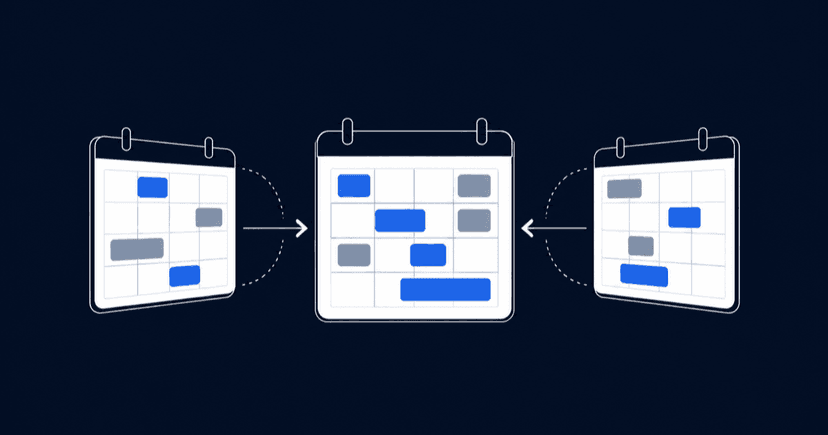
Here's what most merge guides won't say out loud: merging calendars is three different jobs, and the method depends entirely on which one you have. Seeing every event in one view is a two-minute settings change. Moving years of history into a single calendar is an export-and-import job with real data casualties. Keeping two calendars feeding each other forever is the only job that needs extra tooling, and it's the one most guides push you toward because that's where the paid tools live. This guide covers all three for Google Calendar and Outlook, using each product's built-in features first.

Decide what you actually mean by merging
Before you export anything, match your situation to the right method:
| What you want | What does it | Effort |
|---|---|---|
See all events in one screen | Turn on every calendar in the same view (built into Google and Outlook) | 2 minutes |
What you wantSee all events in one screen What does itTurn on every calendar in the same view (built into Google and Outlook) Effort2 minutes | ||
Move all events into one calendar permanently | Export and import, or transfer ownership | 15 to 30 minutes |
What you wantMove all events into one calendar permanently What does itExport and import, or transfer ownership Effort15 to 30 minutes | ||
Two calendars that update each other ongoing | Calendar sharing, subscriptions, or a sync tool | Setup plus maintenance |
What you wantTwo calendars that update each other ongoing What does itCalendar sharing, subscriptions, or a sync tool EffortSetup plus maintenance | ||
Most people searching for a merge have the first or second job. If that's you, everything you need is free and already installed. The third job is where things get honest-conversation territory, and we'll get there at the end.
How to merge Google calendars with export and import
This is the permanent move: all events from calendar A end up living in calendar B. It works between two calendars in the same account and between two different Google accounts, because the transfer travels through a file on your computer.
Step 1: Export the calendar you're retiring
Google only allows exports from a computer, not the mobile app, so open calendar.google.com in a browser. To grab one specific calendar, find it under My calendars on the left, open its Settings and sharing menu, and click Export calendar under Calendar settings. That downloads a single .ics file. To grab everything at once, go to Settings, then Import & export, and click Export: you get a .zip containing one .ics file per calendar.
Two things can block you here. You need the highest permission level on the calendar you're exporting, so a calendar someone merely shared with you may refuse. And on a work or school account, your admin can switch exports off entirely. If the button does nothing, that's usually why, not a bug.
Step 2: Import into the calendar you're keeping
Sign in to the account that keeps the events. In Google Calendar's Import & export settings, select the .ics file, and, before you click Import, check the destination dropdown. Google defaults to your primary calendar, and once a few hundred imported events are mixed into it, there's no bulk undo.
My advice from doing this more than once: create a fresh, empty secondary calendar and import into that first. If the result looks right, you can always move it again or just recolor it. If it looks wrong, you delete one calendar and you've lost nothing.
If you exported everything as a .zip, unpack it first and import each .ics file individually. Google won't read the .zip directly.
Step 3: Check what survived before deleting anything
An import is a one-time copy, and a lossy one. Google's own documentation is explicit that guest lists and conference data don't come along: every imported meeting arrives with no attendees and no video link. Repeating events from a .csv file get flattened into a series of one-time entries. And imported events won't stay in sync with the source account afterward.
So before you delete the old calendar, click into a handful of imported events, especially recurring meetings and anything with invitees, and confirm you can live with what's there. Deletion is the step people regret at leisure: a March 2026 r/GoogleCalendar thread asks after recovery options for a deleted calendar that held more than 15 years of someone's history, and the answers are thin. Keep the .ics file too. It's your only backup.
The shortcut for secondary calendars: transfer ownership
The route almost everyone skips is also the best one when it applies. If the calendar you want to move is a secondary calendar, one you created rather than the primary that came with the account, you don't have to export anything. Google lets you transfer ownership of a calendar to another account: share the calendar with the target account, then in Settings and sharing, open the dropdown next to that person under Shared with and choose Transfer ownership.
Nothing is exported, so nothing is stripped. Guest lists, conference links, and recurrences all stay intact because the calendar itself just changes hands. The new owner gets an email and has 60 days to accept; until they do, you remain the owner. The limits: primary calendars can't be transferred at all, work and school accounts can only transfer inside the same organization, and single events with more than 200 guests won't move.
For one-off events, there's an even smaller tool. Open the event, click Edit, and use the Calendar dropdown to move it to any calendar you own, or use Change owner to hand it to someone else entirely.
When a combined view is all you need
If your goal is seeing work and personal events in one screen, stop before you export anything, because both products do this natively.
Inside one Google account, every calendar you tick in the left sidebar renders in the same grid with its own color. Across two accounts, share the calendar from account A to account B and pick the permission tier that fits: Google offers four levels, from free/busy-only up to full manage rights, and anything at "Make changes to events" or above lets you edit from the other account. Our guide on sharing a Google calendar walks through the settings. On your phone, it's even less work: sign in to both accounts and the Google Calendar app shows them together.
What Google doesn't offer is a native two-way copy between separate accounts, where an event created in one automatically appears as a real event in the other. That gap has kept the same conversation going for years: a long-running r/GoogleSupport thread asking for exactly that, started by someone whose Slack status read only one of their two calendars, was still drawing relieved me-too replies in February 2026. The workarounds are inviting your other address to events, or a third-party sync service, which we cover below.
How to merge calendars in Outlook
Outlook actually uses the word merge in its documentation, but it splits the same three jobs across unrelated menus, and one of them only exists in the classic desktop app.
Combine Outlook calendars into one view
In new Outlook and Outlook on the web, select every calendar you want in the left panel, then look for the Split view toggle in the Arrange group. With Split view on, calendars sit side by side; deselect it and the events stack into a single overlaid grid, each keeping its assigned color. In classic Outlook, tick the calendars' checkboxes in the navigation pane and click View in Overlay Mode on a calendar tab to stack them the same way.
This view is what most "merge two Outlook calendars" questions are asking for in practice, and Microsoft's merge documentation itself points overlay-seekers here first. The calendars stay separate underneath, which also means you can un-stack them anytime.
Merge Outlook calendar data for real
A true data merge in Outlook runs through the import and export wizard, and Microsoft's instructions apply to classic Outlook for Microsoft 365, 2024, and 2021. It's a two-step: export the source calendar folder to an Outlook Data File (.pst) via File, Options, Advanced, Export, then import that file back with Import from another program or file, choosing the destination calendar. Exporting copies items rather than moving them, so the source stays untouched.
One genuinely good detail in that wizard: a "Do not import duplicates" option. Google Calendar's import has no equivalent, so on the Google side, running the same file twice means every event twice.
Pull a Google calendar into Outlook
To get a Google calendar showing inside Outlook with ongoing updates, subscribe rather than import: copy the Secret address in iCal format from the Google calendar's Settings and sharing page, then in Outlook choose Add calendar, From Internet, and paste the URL. Outlook asks whether to subscribe to updates; say yes and changes keep flowing in. A one-time .ics import through the wizard works too, but it's frozen at the moment of import, exactly like Google's version.
If you're deciding which app should own your schedule long-term rather than merging views, our comparison of syncing Google Calendar with Outlook covers the two-way options and their limits in detail.
Keeping merged calendars from drifting apart
A one-time merge solves last year. It doesn't stop next month's events from scattering across accounts again, and this is the job where the built-in options run out.
Sharing is the free answer inside Google's world: a shared calendar with edit rights behaves like a common calendar for everyone involved, and teams often stop there. For a Google-to-Outlook pair, the subscription route above keeps one side updated but read-only. And read-only has a consequence that's easy to miss: a subscribed calendar shows you the events, but they typically don't register as busy time when colleagues check your availability, a distinction one r/Outlook commenter spelled out in July 2026: seeing another calendar and blocking your availability with it are different things, and the built-in subscription options mostly do the first. True two-way sync between different accounts or providers is third-party territory; we've reviewed CalendarBridge, one of the dedicated sync services, if you want to see what that category looks like before paying for it.
But check your motive first. Behind most merge projects sits a fear of double bookings rather than a love of tidy calendars. A freelancer juggling a portfolio of jobs described the setup precisely in May 2026: their Google booking link didn't count their Microsoft work events as busy, so it offered slots they'd already committed elsewhere.
That problem doesn't need your data merged at all. meetergo connects your Google, Outlook, and Apple calendars at once and checks real availability across all of them before offering a slot, so a Tuesday blocked in any calendar is a Tuesday nobody can book. Confirmed bookings write back to the calendar you choose, with the whole thing running on the free plan to start, on European servers, 100% GDPR compliant. To be clear about scope: meetergo reads your calendars for availability and writes bookings into them, but it won't migrate or merge your existing event history. For consolidating archives, the export-and-import steps above remain the tool.
Connect your calendars free and let the booking page do the cross-checking. Live in a few minutes, no credit card required.
Common mistakes when merging calendars
- Importing straight into your primary calendar. There's no bulk undo, and the primary calendar is the one you can neither delete nor transfer. Import into an empty secondary calendar, inspect, then commit.
- Running the same import twice. Google offers no duplicate filter, so a re-run doubles every event. If you suspect an import half-failed, check the destination calendar before trying again.
- Expecting an import to stay current. Google's documentation says it plainly: imported events don't stay in sync between accounts. An import is a photograph, not a cable.
- Deleting the source calendar the same day. Guest lists and conference links are already gone from the imported copies; the source calendar and your .ics file are the only places they still exist. Give it a week.
- Trying the whole thing from your phone. Export and import are desktop-web-only in Google Calendar, and classic Outlook's wizard is desktop software. The apps are for viewing, not migrating.
Booking + video conferencing in one tool.

Booking + video conferencing in one tool.
FAQ
Can I merge two Google accounts into one?
Not the accounts themselves. What you can do is move the calendar data: transfer ownership of secondary calendars to the account you're keeping, and export-import the primary calendar's events. Google's own guidance for account moves is exactly that import route.
Will merging calendars notify my meeting guests?
An export and import sends nothing, because imported events arrive without guest lists at all. That's also the catch: the imported copy of a meeting no longer knows who was invited, so treat imports as archive material rather than living meetings.
Do recurring events survive a merge?
From an .ics file, yes, recurrences import intact. From a .csv file, no: Google converts repeating events into individual one-time events. If you have a choice of format, always take .ics.
How do I merge Google and Outlook calendars into one view on both sides?
Subscribe in both directions: Outlook reads the Google calendar's secret iCal address, and Google can add an Outlook calendar's published ICS link via "From URL". Both directions are read-only, which is fine for viewing and useless for editing.
Why is the export button missing on my work account?
Administrators of work and school Google accounts can disable calendar export for the whole organization. If Import & export shows no export option, or exporting silently fails, ask your admin before hunting for workarounds.
Is there a limit to how many calendars I can combine?
For practical purposes you'll hit readability limits before technical ones, but Google notes that subscribing to more than 400 calendars can cause performance problems. If you're combining calendars for a whole team, a shared team calendar setup scales better than personal subscriptions.