
Key Takeaways
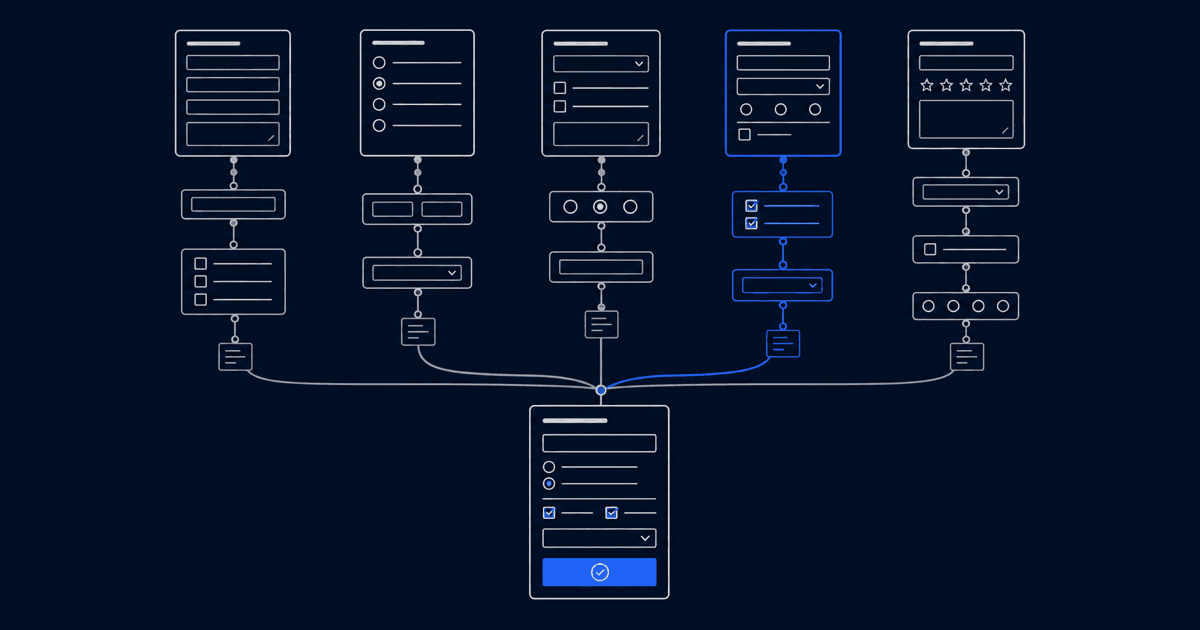
- meetergo is the strongest pick when a form needs to do more than collect answers: it builds branded multi-step funnels that qualify a lead, book the meeting, take a signature, and push to a CRM, all on EU servers with no US corporate parent.
- Google Forms is free, already in your Google account, and fine for internal surveys or quizzes. It stops being the right tool the moment you need branding, a real funnel, or documented EU data residency.
- Typeform wins on conversational form design and completion rates, but response caps and US-default hosting push EU teams toward expensive tiers.
- Jotform carries a huge template library and now bundles e-signatures into every plan, though it stays a form-builder-first product rather than a funnel-to-booking flow.
- Tally is a genuinely free, EU-hosted form builder with unlimited submissions, ideal when you need a clean form and nothing downstream.
Google Forms is the default for a reason. It is free, it sits next to Sheets and Drive in an account most people already have, and you can publish a survey in two minutes flat. For a classroom quiz, an event RSVP, or an internal team poll, it is hard to argue with. The ceiling shows up later: the forms look like Google's, conditional logic is limited to jumping between sections, file uploads force respondents to sign in to a Google account, and everything you collect lands in a Sheet with nothing happening after that. If your form is supposed to qualify a lead, route them to the right calendar, or collect a signature, you are now wiring three more tools onto it. Below are five alternatives, matched to what you actually need the form to do.
5 Best Google Forms Alternatives: An Overview
| Tool | Best For | Free Plan | Starting Price |
|---|---|---|---|
meetergo | Branded funnels that book, sign, and sync to CRM | Yes (Forms as your one free app, unlimited users) | €9.90/mo (yearly) |
Toolmeetergo Best ForBranded funnels that book, sign, and sync to CRM Free PlanYes (Forms as your one free app, unlimited users) Starting Price€9.90/mo (yearly) | |||
Typeform | Conversational forms, high-completion surveys | Yes (100 responses/mo) | $28/mo (yearly) |
ToolTypeform Best ForConversational forms, high-completion surveys Free PlanYes (100 responses/mo) Starting Price$28/mo (yearly) | |||
Jotform | High-volume forms, deep template library | Yes (5 forms, 100 submissions/mo) | $34/mo (yearly) |
ToolJotform Best ForHigh-volume forms, deep template library Free PlanYes (5 forms, 100 submissions/mo) Starting Price$34/mo (yearly) | |||
Tally | Free, unlimited, EU-hosted forms | Yes (unlimited submissions) | €20/mo (Pro) |
ToolTally Best ForFree, unlimited, EU-hosted forms Free PlanYes (unlimited submissions) Starting Price€20/mo (Pro) | |||
Cognito Forms | Forms with calculations and conditional pricing | Yes (1 form, 500 entries/mo) | $19/mo |
ToolCognito Forms Best ForForms with calculations and conditional pricing Free PlanYes (1 form, 500 entries/mo) Starting Price$19/mo | |||
1. meetergo: Best Google Forms Alternative for Branded Funnels

meetergo is a Cologne-built form, funnel, and scheduling tool that covers intake forms, lead routing, booking, video, payments, e-signatures, and a CRM in one product. It serves teams across sales, recruiting, consulting, healthcare, and other verticals, so the form is rarely the whole job: a meetergo funnel can collect answers, branch on them, route the respondent to the right person, and book time without a second tool. Where Google Forms hands you a Sheet of responses, meetergo turns the same submission into a booked, signed, tracked next step.
Key Features
Branded Multi-Step Funnels and Routing
meetergo's routing forms collect answers across multi-page flows, then send the respondent to the right team member, calendar, or meeting type based on what they entered. Where Google Forms gives you 12 question types, the meetergo builder runs to more than 25, among them signature capture, file uploads, IBAN inputs, GPS location, and a single block that gathers name, address, phone, and email together. Conditional logic runs code-free with EQUALS, CONTAINS, BLANK, and GREATER THAN operators and nested AND/OR rules across every field type, and it executes client-side so the routing tree updates as you build with no save step.

Built-in Booking, Video, and E-Signatures
A meetergo funnel ends in something Google Forms cannot reach: a confirmed appointment, an encrypted video room, or a signed document. The e-signature is a Fortified Electronic Signature backed by email OTP verification, with SHA-256 tamper detection and an audit trail on every signed PDF. Payments and deposits can be collected as part of the same flow rather than bolted on afterward.

CRM and Lead Capture
Submissions land as contacts and deals in meetergo's built-in CRM, not as rows in a spreadsheet, so a qualified respondent enters a pipeline stage automatically. Lead Capture Mode keeps the booking page open for high-intent visitors and feeds their details straight into that pipeline.
EU Data Residency by Default
Every plan stores data on EU servers, with a DPA included and the trust posture meetergo ships on every booking page: fully GDPR-compliant, servers in Europe, made in Europe. There is no US corporate parent and no paid tier you have to reach before residency applies.
Pricing
| Plan | Yearly | What you get |
|---|---|---|
Free | €0 (free forever, unlimited users) | Forms as your one free app, or Scheduling with 3 meeting types |
PlanFree Yearly€0 (free forever, unlimited users) What you getForms as your one free app, or Scheduling with 3 meeting types | ||
Light | €9.90/user/mo | Scheduling fully unlocked, HubSpot and Pipedrive sync, up to 3 workflows |
PlanLight Yearly€9.90/user/mo What you getScheduling fully unlocked, HubSpot and Pipedrive sync, up to 3 workflows | ||
Suite | €29.90/user/mo (reg. €34.90) | Every app except WhatsApp, full e-signatures, payments and automations |
PlanSuite Yearly€29.90/user/mo (reg. €34.90) What you getEvery app except WhatsApp, full e-signatures, payments and automations | ||
Premium | €49.90/user/mo (reg. €59.90) | Adds funnels, lead routing, round robin, white label, WhatsApp Business |
PlanPremium Yearly€49.90/user/mo (reg. €59.90) What you getAdds funnels, lead routing, round robin, white label, WhatsApp Business | ||
Enterprise | On request (30+ users) | Tailored |
PlanEnterprise YearlyOn request (30+ users) What you getTailored | ||
7-day free trial on Light, Suite, and Premium. No credit card required. Suite and Premium prices are the first-year rate for the seats you start with and renew at the regular price after 12 months (checked 2026-07-30). You can go from a blank canvas to a live form in under five minutes.
Where meetergo Shines
- Branded multi-step funnels with 25+ field types and code-free AND/OR logic
- The form books, signs, takes payment, and pushes to a CRM in one flow
- EU data residency on every plan, with a DPA and no US corporate parent
- The survey tool covers standalone surveys when you do not need a booking step
Where meetergo Falls Short
- The Free plan gives you one app, so pairing Forms with Scheduling or the CRM means moving to a paid tier
- The full routing-funnel builder, lead routing, and round robin are gated to Premium
- It is more product than you need for a one-off internal survey
Customer Reviews
Who meetergo Is Best For
- Sales, recruiting, and consulting teams that qualify and route inbound leads before the first meeting
- European teams that need documented GDPR compliance across their form and booking stack
Build your first funnel in minutes. No credit card required.
Start for free | Book a demo
2. Google Forms: The Free, Familiar Baseline
Google Forms is the tool every other entry on this list is measured against, and for good reason. It is free with a personal Google account, publishes no form or response caps for that tier, and exports raw data to Google Sheets in one click. It covers 12 question types, quizzes with auto-grading, and theme-level customization with colors, images, and fonts. Where it runs out of room is everything past plain collection: branding stays theme-only with no custom domain or removal of Google's marks, conditional logic is limited to jumping between sections rather than field-level rules, any form with a file-upload question forces respondents to sign in to a Google account, and there is no scheduling, no payment collection, and no signature among the question types. A single form also caps at 300 pieces of content and 75 sections.
On data, the nuance matters. Google offers a DPA, encrypts data in transit and at rest, and on paid Workspace editions can pin data at rest to an EU region. But that residency is gated: it is not available on Business Starter, it requires Business Standard or higher, and it covers data at rest only, explicitly excluding logs and cached content. The free consumer tier that most people actually use has no data-region control at all, and the processor entity is Google LLC, a US company subject to US law such as the CLOUD Act. For an internal survey that is a non-issue. For regulated EU intake data, it is the whole issue.
Pricing
| Plan | Price |
|---|---|
Personal account (Forms) | Free |
PlanPersonal account (Forms) PriceFree | |
Business Starter (Workspace) | €6.80/user/mo (no EU data region) |
PlanBusiness Starter (Workspace) Price€6.80/user/mo (no EU data region) | |
Business Standard (Workspace) | €13.60/user/mo (EU data region available) |
PlanBusiness Standard (Workspace) Price€13.60/user/mo (EU data region available) | |
Business Plus (Workspace) | €21.10/user/mo |
PlanBusiness Plus (Workspace) Price€21.10/user/mo | |
Enterprise (Workspace) | Custom |
PlanEnterprise (Workspace) PriceCustom | |
Forms is bundled into every Workspace edition at no extra cost. Workspace prices captured in EUR; re-check your local currency.
Where Google Forms Shines
- Genuinely free with no published caps on a personal account
- Already present in the Google account most teams have, with one-click Sheets export
- Fast and reliable for surveys, quizzes, and classroom use with auto-grading
Where Google Forms Falls Short
- Theme-only branding, no custom domain, no removal of Google's marks
- Section-jump logic only, not field-level conditional routing
- File-upload questions force respondents into a Google sign-in
- No scheduling, no payments, no signature, no CRM
- Free tier has no EU data-residency control; residency is gated to Business Standard or higher and covers data at rest only
Customer Reviews
Who Google Forms Is Best For
- Internal surveys, team polls, and event RSVPs where branding and residency do not matter
- Schools and educators running quizzes with auto-grading and Classroom tie-ins
3. Typeform: Best for Conversational Form UX
Typeform built the one-question-at-a-time format that lifts completion rates on longer forms, and has since layered an AI suite on top for generating forms, adapting follow-ups, and analyzing responses. It covers logic jumps, quizzes with scoring, video question fields, Stripe payments, and a few hundred integrations. The gaps for a Google Forms switcher are around cost and jurisdiction rather than polish: both the Free and Basic plans cap at 100 responses per month, so passing that line forces an upgrade to Plus on response volume alone, Typeform's branding stays on forms until the Plus tier, the main servers are in Virginia with EU hosting available only as an Enterprise feature, and there is no native scheduling, video, e-signature, or CRM, so each of those is a separate tool in a Typeform stack.
Key Features
Conversational One-Question-at-a-Time Flow
Each question surfaces on its own, with the next shaped by the previous answer. The format measurably lifts completion on forms longer than a handful of questions.
AI Form Suite
Creator AI generates and brands a form from a short description, Interaction AI adapts follow-up questions per respondent, and Insights AI summarizes response data through chat.
Logic Jumps and Scoring
Conditional logic routes respondents down different paths, and optional scoring assigns numeric values to answers for lead qualification or quiz use cases.
Pricing
| Plan | Yearly (effective/mo) | Responses/mo |
|---|---|---|
Free | $0 | 100 |
PlanFree Yearly (effective/mo)$0 Responses/mo100 | ||
Basic | $28/mo | 100 |
PlanBasic Yearly (effective/mo)$28/mo Responses/mo100 | ||
Plus | $56/mo | 1,000 |
PlanPlus Yearly (effective/mo)$56/mo Responses/mo1,000 | ||
Business | $91/mo | 10,000 |
PlanBusiness Yearly (effective/mo)$91/mo Responses/mo10,000 | ||
Enterprise | Custom | Custom |
PlanEnterprise Yearly (effective/mo)Custom Responses/moCustom | ||
Free and Basic share the same 100-responses-per-month ceiling; volume is the main upgrade lever.
Where Typeform Shines
- Completion rates on multi-step conversational forms tend to outperform traditional layouts
- A deeper AI-forms feature set than most form builders
- Video question fields are uncommon at this price point
Where Typeform Falls Short
- Free and Basic both cap at 100 responses per month
- Branding removal starts at the Plus tier
- Main servers are in Virginia; EU data residency is an Enterprise-only feature
- No native scheduling, video, e-signature, or CRM
Customer Reviews
Who Typeform Is Best For
- Marketing and research teams whose primary need is high-completion survey flows
- Teams already paying for a separate scheduler that want Typeform purely for intake
4. Jotform: Best for Template Depth and High Volume
Jotform is a no-code form builder with one of the largest template libraries in the category and a broad suite around it: Tables for a spreadsheet-and-calendar view, Workflows for automation, and an appointment-scheduler product embedded inside the forms ecosystem. Pricing is driven by forms and monthly submissions rather than seats, which suits high-volume B2C operations. The trade-offs for a Google Forms switcher sit in depth and jurisdiction: scheduling lives inside the forms product rather than as a purpose-built scheduler with no native round-robin or built-in video, the platform is US-hosted with EU data residency available only on the Enterprise tier, and there is no native CRM with a deal pipeline since Tables is form-data storage rather than relationship management.
Key Features
20,000+ Form Templates
Jotform ships a template library covering healthcare intake, legal consent, event registration, and booking, all editable through drag-and-drop with no code.
Bundled E-Signatures
E-signature capability is now included in every plan rather than sold separately, with monthly signed-document limits that scale by tier (100 on Bronze, up to 1,000 on Gold).
Tables and Payment Gateways
Jotform Tables organizes submissions in a spreadsheet-and-calendar view, and conditional logic pairs with dozens of payment gateways including Stripe, Square, and PayPal, collected at form submission.
Pricing
| Plan | Yearly (effective/mo) | Forms / Submissions |
|---|---|---|
Starter (Free) | $0 | 5 forms / 100 per mo |
PlanStarter (Free) Yearly (effective/mo)$0 Forms / Submissions5 forms / 100 per mo | ||
Bronze | $34/mo | 25 forms / 1,000 per mo |
PlanBronze Yearly (effective/mo)$34/mo Forms / Submissions25 forms / 1,000 per mo | ||
Silver | $39/mo | 50 forms / 2,500 per mo |
PlanSilver Yearly (effective/mo)$39/mo Forms / Submissions50 forms / 2,500 per mo | ||
Gold | $99/mo | 100 forms / 10,000 per mo |
PlanGold Yearly (effective/mo)$99/mo Forms / Submissions100 forms / 10,000 per mo | ||
Enterprise | Custom | Unlimited |
PlanEnterprise Yearly (effective/mo)Custom Forms / SubmissionsUnlimited | ||
The free Starter plan caps at 5 forms, 100 monthly submissions, and 10 signed documents per month.
Where Jotform Shines
- One of the deepest template libraries of any form builder
- E-signatures now bundled into every plan
- Submission-volume pricing fits high-booking B2C operations
Where Jotform Falls Short
- Scheduling lives inside the forms product rather than as a dedicated scheduler
- No native round-robin distribution
- No built-in video; Zoom or Meet is required separately
- US-hosted, with EU data residency only on the Enterprise tier
Customer Reviews
Who Jotform Is Best For
- Teams that want the widest template selection to start from
- High-volume B2C operations where per-submission pricing is more predictable than per-seat
5. Tally: Best Free Google Forms Alternative
Tally is a no-code form builder with a Notion-style block editor and a free plan that is unusually generous: unlimited forms and unlimited submissions, with conditional logic, calculations, payments, and a signature field all included at no cost. It is a Belgian company that builds and hosts in the EU on Google Cloud, with data encrypted in transit and at rest, so unlike most US-based form tools it is already a solid EU-residency story and not a place to look for a sovereignty gap. Where it stops is breadth: there is no native scheduling, calendar, or booking, so an appointment workflow has to be wired through Zapier or Make to a separate tool, the signature is a form field rather than a legally framed eIDAS signing workflow, and there is no native CRM or built-in video. Branding removal, custom domains, and team workspaces sit on the Pro plan at €20 per month.
Key Features
Notion-Style Block Editor
You build a form by typing on the page and inserting blocks the way you would in a Notion document, which is among the fastest form-building experiences in the category.
Generous Free Tier
Unlimited forms and submissions on the free plan, with conditional logic, calculations, payments, and a signature field all included rather than paywalled.
EU Hosting
Core form data is stored in the EU on Google Cloud in Belgium, encrypted in transit and at rest, with a DPA available and a Belgian legal entity.
Pricing
| Plan | Price | Forms / Submissions |
|---|---|---|
Free | €0 | Unlimited / Unlimited |
PlanFree Price€0 Forms / SubmissionsUnlimited / Unlimited | ||
Tally Pro | €20/mo | Unlimited / Unlimited |
PlanTally Pro Price€20/mo Forms / SubmissionsUnlimited / Unlimited | ||
Tally Business | €65/mo | Unlimited / Unlimited |
PlanTally Business Price€65/mo Forms / SubmissionsUnlimited / Unlimited | ||
Annual billing is advertised as two months off. The free tier is unlimited within fair-usage guidelines.
Where Tally Shines
- Truly free with unlimited forms and submissions
- EU-made and EU-hosted on Google Cloud in Belgium
- Fast, low-friction Notion-style form building
Where Tally Falls Short
- No native scheduling, calendar, or booking
- The signature is a form field, not an eIDAS signing workflow
- No native CRM or built-in video
- Branding removal and custom domains require Pro
Customer Reviews
Who Tally Is Best For
- Solo founders and small teams that need a great free form and nothing downstream
- EU-based creators who want a clean, branded form without per-seat pricing
Reasons to Consider an Alternative to Google Forms
Reason 1: Plain Forms Cannot Carry a Brand or a Funnel
Google Forms customization stops at colors, images, and fonts, and there is no way to remove Google's branding or run on a custom domain. For an internal survey that is fine. For a lead-capture form on a marketing site, a form that visibly says it was made in Google undercuts the brand and the conversion rate. The bigger limit is logic: section-jump branching is not the same as field-level conditional routing, so Google Forms cannot qualify a respondent and send them down a tailored path. meetergo's funnel builder handles branded multi-page flows with 25+ field types and code-free AND/OR logic, and routes each respondent based on their answers.
Reason 2: The Free Tier Has No EU Data-Residency Control
Teams subject to GDPR have to be able to say where intake data is processed. On Google Forms, the free consumer tier has no data-region control at all, and even on paid Workspace the EU data region requires Business Standard or higher and covers data at rest only, leaving logs and cached content outside the scope. The processor is Google LLC, a US company subject to US law. meetergo processes data on EU servers on every plan, includes a DPA by default, and has no US corporate parent, so the residency question has a documented answer before the first form goes live.
For a wider field, see seven online survey tools compared on EU data residency, response caps and branching logic.
Reason 3: A Form That Ends in a Spreadsheet Is Only Step One
Google Forms collects responses into a Sheet, and everything after that is a separate tool: a scheduler to book the meeting, a video tool for the call, an e-signature product for the contract, and a CRM to track the deal. Stitching those together with Zapier is work, and every handoff is a place data can leak or break. meetergo runs the whole sequence in one place: the form qualifies and routes, the booking confirms the slot, the e-signature closes the document, and the CRM tracks it into a pipeline stage. For a closer look at the same trade-off against a different form-first tool, see our Fillout alternatives breakdown.
The tool is only half of the outcome, though. What you ask decides what comes back: these open-ended survey question examples show which question formats people actually answer and which get skipped.
For agencies and consultancies there is a second constraint: running client feedback surveys on EU infrastructure keeps candid client answers out of US-cloud spreadsheets and inside the same system that already holds the client relationship.
The spreadsheet also hides a survey data quality problem: an open form link accepts responses from anyone, including bots and duplicate respondents, and nothing in the Sheet tells you which rows to trust.
A form has one more blind spot when the question is a time: it will keep accepting answers for a slot that only holds one person, because it has no concept of a slot being used up. Allocating times needs a form that closes a slot once it is taken, not a longer response sheet.
Moving tools does not fix free-text answers on its own. A standardized intake form with typed fields and closed options is what makes the records worth routing once they leave the form.
Use meetergo to Turn Forms Into Booked, Signed Deals
If your form is meant to do more than collect answers, meetergo replaces Google Forms and the tools you would otherwise bolt onto it: branded funnels, lead routing, native video, contract signing, and a CRM that tracks bookings into pipeline stages, all on EU servers.
No credit card required. Cancel anytime.
Start for free | Book a demo
Booking + video conferencing in one tool.

Booking + video conferencing in one tool.
Frequently Asked Questions
What is the best free alternative to Google Forms?
Tally is the closest free match, with unlimited forms and submissions on its free plan plus conditional logic, payments, and a signature field, all EU-hosted. meetergo's Basic plan is free forever with one active meeting type and a 10-deal CRM if you need a form that also books.
Which Google Forms alternative is best for GDPR compliance?
meetergo processes data on EU servers on every plan and includes a DPA by default, with no US corporate parent. Tally is also EU-hosted in Belgium. Typeform and Jotform offer EU data residency only on their Enterprise tiers, and Google Forms has no residency control on its free tier.
Can I replace Google Forms with meetergo?
Yes, for forms that need to qualify, route, book, sign, or sync. meetergo's routing forms collect answers across multi-page flows with 25+ field types and conditional branching, then route the respondent to the right host. For standalone surveys with no booking step, the built-in survey tool covers that.
Is there a Google Forms alternative with built-in scheduling?
meetergo is built around scheduling, so a form can end in a confirmed booking without a second tool. Typeform, Jotform, and Tally are form-first products where booking requires connecting a separate scheduler.
Why would I move off Google Forms if it is free?
Cost is rarely the reason. Teams move when they need branded forms, field-level routing logic, documented EU data residency, or a form that books and signs rather than just collecting into a Sheet. For a simple internal survey, Google Forms remains a sensible free choice.
Does Typeform store data in the EU?
By default Typeform's main servers are in Virginia. EU data hosting is available through its EU Responses Data Center, which is an Enterprise-tier feature enabled per account rather than self-service.