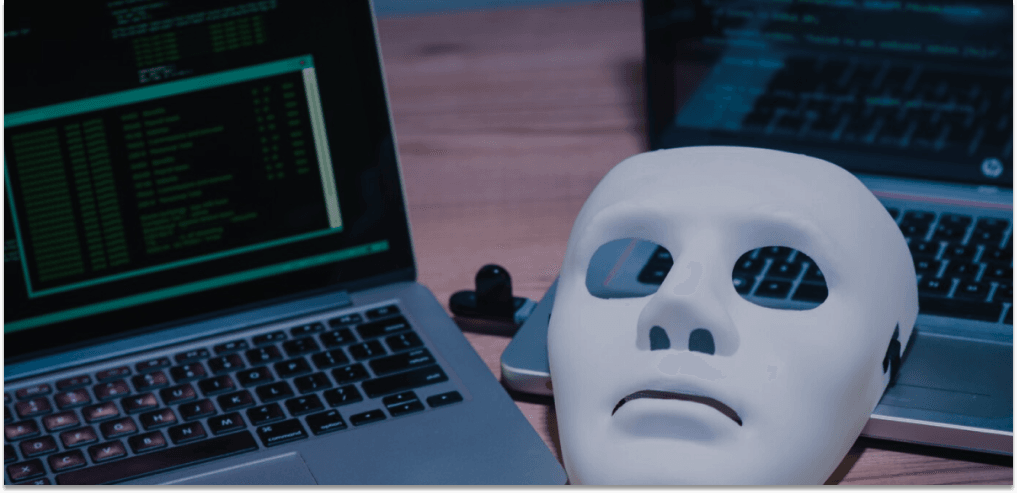

Identity theft is the unauthorized use of someone's personally identifiable information — name, email, phone, payment data, or work context — to impersonate them for financial or social gain. It is one of the fastest-growing cybercrimes worldwide, and most cases start with data that leaked from a tool the victim never thought of as risky.
Your calendar is a good example. Every time you accept a meeting request you exchange names, addresses, company details, and sometimes the topic of a confidential conversation. If those details sit on a poorly secured server, they become raw material for the next phishing campaign or credential-stuffing attack.
This guide walks through how identity theft happens in 2026, the warning signs to watch for, and the practical steps — from password hygiene to picking a GDPR-compliant scheduling tool — that cut your exposure to a fraction of what most people accept by default.

What identity theft actually looks like
Identity theft rarely starts with a single dramatic breach. It usually begins with small fragments — an email here, a job title there — pieced together until someone has enough to open a credit line, file a fake tax return, or convince your bank they are you. The damage can take months to spot and years to fully unwind.
The data thieves actually want
Personally identifiable information (PII) is anything that links a record back to a real person. Common targets include:
- Full name and home or work address
- Email address and phone number
- Employer, job title, and seniority signals
- Card data, IBAN, or any payment identifiers
- Health information, ID numbers, or government records
- Meeting subjects that hint at deals, finances, or legal matters
Even "low-risk" fields like a meeting topic can be weaponised. A phishing email that references a real conversation — "following up on the Q4 strategy call" — is dramatically more effective than a generic scam.
How criminals get it
- Phishing and smishing: deceptive emails, SMS, or LinkedIn messages that impersonate a colleague, client, or service you already use.
- Data breaches: attackers steal entire customer databases from vendors with weak security — and scheduling tools, CRMs, and form builders are common entry points.
- Malware and infostealers: browser-based malware harvests stored passwords, cookies, and autofill data, often before the victim notices anything.
- Man-in-the-middle attacks: intercepting traffic on public Wi-Fi or via fake captive portals to capture credentials in transit.
- Data-broker aggregation: companies legally collect and resell personal records, then resellers and scammers buy or scrape them downstream.
Warning signs your identity is being misused
Early detection turns a six-month nightmare into a one-afternoon fix. Watch for any of these signals:
- Unfamiliar charges or small "test" transactions on your bank statement
- Bills, debt-collection letters, or tax notices for accounts you never opened
- Login alerts from countries or devices you don't recognise
- Friends or clients reporting strange messages "from you"
- Two-factor codes arriving when you haven't tried to log in
- Sudden drops in your credit score or new credit inquiries you didn't authorise
If any of these hit, freeze the relevant accounts, change passwords, and file a report with your national fraud office before the trail goes cold.
Why scheduling software is an overlooked attack surface
Most teams audit their CRM, their payment processor, and their HR tools. Almost none audit their meeting scheduling software — yet the booking page is one of the few customer-facing forms that collects names, emails, phone numbers, employer details, and meeting topics in one place, all without a login wall.
Two structural problems make schedulers worth scrutinising:
- Jurisdiction. Many popular schedulers are US-based, which means the US CLOUD Act can compel disclosure of customer data even when the data sits on European servers. That conflicts with the EU's GDPR, which is built around individual control over personal data.
- Data minimisation. Many tools collect more fields than the meeting actually needs and retain bookings indefinitely, expanding the blast radius of any future breach.
Picture a freelance consultant who books client calls through an insecure scheduler. The vendor suffers a breach. An attacker now has her contact list and the topics of each confidential meeting. A phishing email referencing the "finalised contract from our Tuesday call" lands in a client's inbox, and the malware spreads from there. The whole chain started at the booking page.

How to protect yourself from identity theft
There is no single switch. Stack a few cheap habits and you cut your exposure dramatically:
- Use unique passwords and a password manager. Credential reuse is the single biggest reason one breach turns into ten.
- Turn on two-factor authentication. Prefer an authenticator app or hardware key over SMS, which is vulnerable to SIM-swap attacks.
- Be skeptical of every link. Hover before you click, check the sender's domain, and call back through a number you already trust if a request feels urgent.
- Audit the tools that handle PII. Read the privacy policy, check the hosting region, and prefer GDPR-aligned vendors for anything customer-facing — schedulers, CRMs, payment widgets, and form builders especially.
- Remove yourself from data-broker lists. Most people show up on dozens of broker sites. Submit manual opt-out requests, or use a reputable removal service such as DeleteMe, Privacy Bee, or Optery to automate the process.
- Monitor accounts and credit reports. Set up balance alerts, review statements monthly, and pull your credit file at least twice a year — most countries offer one free report annually.
- Freeze your credit when you're not actively borrowing. A freeze stops new accounts from being opened in your name and can be lifted in minutes when you actually need it.
What to look for in a privacy-safe vendor
Whether you are picking a booking tool, a CRM, or a healthcare intake form, the same checklist applies. Treat it as a hard filter rather than a nice-to-have:
- Hosting region disclosed in writing. EU-only data centres avoid the CLOUD Act problem entirely.
- Transport encryption everywhere. TLS 1.2 or higher is a baseline; encryption at rest is the next step up.
- OAuth-based integrations. Vendors should never store the passwords for your Google, Microsoft, or video accounts.
- Minimal mandatory fields. If a booking form needs more than name and email by default, ask why.
- Clear data-deletion controls. You should be able to wipe a contact, an event, or your entire account without a support ticket.
- A signed Data Processing Agreement (DPA). If you handle EU customer data you need one — and any serious vendor will hand it over without negotiation.
Industries with the highest stakes — healthcare practices handling patient bookings and financial advisors collecting onboarding data — should treat these as non-negotiable.
Book client meetings without leaking their data.

Book client meetings without leaking their data.
Special note: payments and customer data
If you collect money at the time of booking, the stakes climb fast. The safest pattern is to never let card data touch your servers. Use a PCI-compliant gateway like Stripe through tokenised payment integrations so your scheduling tool sees only a payment confirmation, not the underlying numbers.
The same logic applies to ongoing customer records. A GDPR-aligned sales CRM keeps contact and pipeline data under European rules, with role-based access so junior staff can't accidentally export the entire database to a personal laptop.
What to do if your identity is already stolen
Speed is the only thing that matters. Work through these steps in order:
- Freeze the affected bank cards and put a fraud alert on your credit file.
- Change passwords on the compromised account first, then every account that shared the same password.
- Enable two-factor authentication everywhere it isn't already on, prioritising email and banking.
- File a report with your national fraud or police authority — you'll need the case number for any later disputes.
- Notify your bank, employer, and any service that ties identity to access (cloud provider, domain registrar, payroll).
- Keep records of every call, ticket, and email — recovery often takes months, and documentation is what closes disputes.
Frequently Asked Questions
Can a scheduling tool really cause identity theft?
Indirectly, yes. Scheduling tools collect name, email, phone, employer, and meeting topic in one place — exactly the fields phishers and credential-stuffers need. A breach at the vendor exposes that bundle, and the fallout shows up later as targeted scams, account takeovers, or fraudulent applications.
Does GDPR actually reduce my identity-theft risk?
GDPR forces vendors to minimise data collection, document storage, and give you deletion rights — all of which shrink the data available to steal in the first place. It is not a guarantee, but the regulatory floor is meaningfully higher than in jurisdictions without an equivalent.
Should I pay for a credit-monitoring service?
If you've been in a breach or hold a public-facing role, the alert speed often justifies the cost. For most people, a free annual credit report combined with monthly bank-statement reviews and a credit freeze covers the basics for nothing.
What's the single highest-impact thing I can do today?
Turn on two-factor authentication on your primary email account. Email is the recovery channel for almost every other login you own, so locking it down blocks the most common takeover pattern. Add a password manager next, then a credit freeze.
How do I get my data off broker sites?
You can submit opt-out requests manually — every legitimate broker is required to honour them — but the list is long. An automated opt-out service like DeleteMe, Privacy Bee, Optery, or Kanary handles the volume on a rolling basis so removed records don't quietly reappear.
Putting it together
Identity theft in 2026 is less about elaborate hacking and more about quiet aggregation. Every form you fill, every booking page you publish, and every default privacy setting either adds to the pile of data attackers can buy — or shrinks it.
Tighten the basics first: unique passwords, two-factor authentication, broker opt-outs, and credit monitoring. Then audit the tools customers reach through — schedulers, intake forms, payment widgets — and replace anything that can't tell you where the data sits or how long it stays there. For European teams, that increasingly means picking GDPR-native, EU-hosted vendors by default.
Scheduling that doesn't put your customers on a broker list.
Scheduling that doesn't put your customers on a broker list.