Pipedrive and Salesmate are both per-seat sales CRMs for small and mid-sized teams, but they are built around different ideas. Pipedrive is a pipeline-first CRM that starts at $14 per seat per month, billed annually, and unlocks more features with each tier. Salesmate starts at $23 per user per month, billed annually, and builds calling, texting and sales automation into the platform itself.
The prices and plan contents in this comparison come from each vendor's own pricing page, checked on 16 November 2026. If your team books sales calls from either CRM, a GDPR-compliant scheduler such as meetergo can run the booking page and the reminders alongside it.
Cloud-based adaptability ensures these systems work for teams of all sizes. Whether you prioritize pipeline visibility or advanced reporting, we’ll compare features, pricing, and real-world use cases. By the end, you’ll know exactly which solution aligns with your sales goals.
Key Takeaways
- Pipedrive is cheaper to start: Lite costs $14 per seat per month billed annually, while workflow automation and two-way email sync start on Growth at $39.
- Salesmate Basic costs $23 per user per month billed annually and already includes full email sync, web forms, a meeting scheduler and Smart Flows automation.
- Salesmate has built-in calling and texting, and its power dialer and voicemail drop come with the Business plan at $63.
- Pipedrive sells extras such as LeadBooster, Campaigns and Smart Docs as paid add-ons on top of the seat price.
- Pipedrive offers a 14-day free trial and Salesmate a 15-day free trial, so you can test both with real deals before paying.

Introduction to CRM Comparison
What if your sales team could cut follow-up time in half while boosting customer satisfaction? Modern CRM systems make this possible by turning scattered data into strategic insights. These tools aren’t just digital Rolodexes—they’re engines for growth.
Understanding the Role of CRM in Sales
A Customer Relationship Management system acts as your team’s central hub. It organizes contacts, tracks interactions, and automates repetitive tasks. For example, imagine instantly logging customer calls or setting reminders for follow-ups—all while maintaining a 360-degree view of each client.
Good contact management lets a team spend its time on conversations instead of chasing details, and both tools covered here are built for exactly that.
Why Comparison Matters for Businesses
Not all CRM platforms work the same. Some prioritize automation, while others excel at reporting. Choosing the right fit depends on your goals:
- Startups might need affordable scalability
- Enterprises often require advanced analytics
- Remote teams benefit from cloud-based access
Comparing plans side by side helps you avoid paying for features you will not use, and it shows early which add-ons you would need later. Whether you manage 50 contacts or 50,000, the plan structure matters as much as the feature list.
Overview of Pipedrive
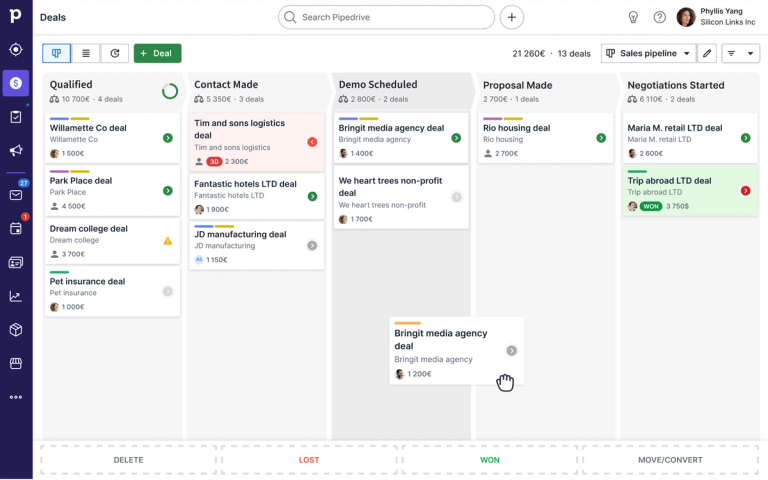
Visualizing your sales journey can transform how you track and close deals. This platform turns complex workflows into clear, actionable steps through its intuitive design. Teams gain immediate clarity on deal progression while maintaining flexibility to adapt processes as needs evolve.
User-Friendly Interface and Customizable Pipelines
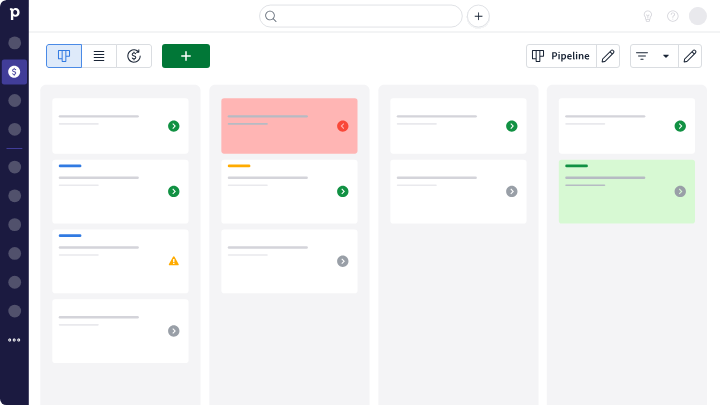
The drag-and-drop interface lets you move deals between stages like cards on a board. Custom fields track the data points your team needs, from contract values to client preferences, without cluttering the view.
Create separate pipelines for different products or services. A marketing agency might use one pipeline for social media contracts and another for SEO campaigns. Real-time updates ensure everyone sees changes instantly, eliminating outdated spreadsheets.
Key Features for Sales Pipeline Management
Automation rules handle repetitive tasks, such as sending a follow-up email when a deal stalls or assigning a task when a new lead arrives. In Pipedrive, workflow automation and two-way email sync start on the Growth plan; Lite covers visual pipelines, calendar management and deal tracking.
Dashboards show conversion rates and bottlenecks, and you can filter them by team member, timeframe or deal size. Reporting and forecasting are part of Growth and the higher tiers.
Overview of Salesmate
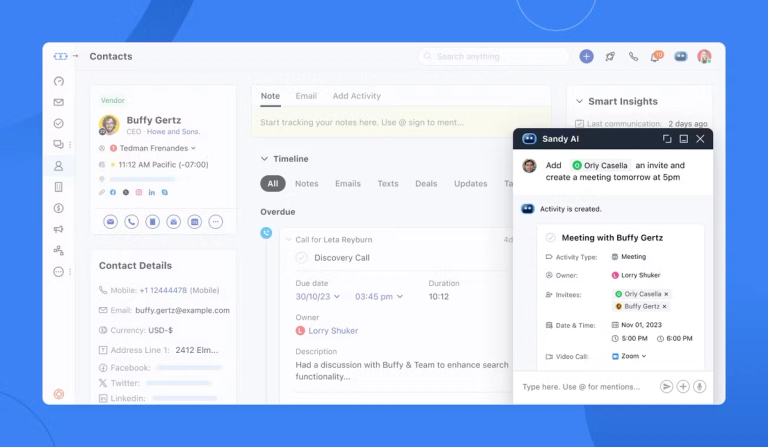
What if your sales team could handle follow-ups automatically while you focus on high-value deals? This CRM platform turns that vision into reality with intelligent workflows designed for fast-paced teams. Built for businesses prioritizing efficiency, it combines robust automation with simplicity—no coding required.
Core Functionalities and Automation Capabilities
Salesmate puts more into its entry plan. Basic includes full email sync, email templates and tracking, a meeting scheduler, web forms, custom fields and Smart Flows, Salesmate's sales and marketing automation. Calling and texting are built in: you can make and receive calls, send bulk SMS and transcribe conversations, with local and toll-free numbers from $1.1 per month.
The Pro plan at $39 adds the features growing teams usually ask for next:
- Email sequences and a shared team inbox
- Product and quote management plus ticketing
- Custom dashboards and reports with goals, and SSO
Tailored Solutions for Small Businesses and Startups
Salesmate suits small teams that want one tool for pipeline, email and phone. The Business plan at $63 adds a power dialer, voicemail drop and custom modules for teams that call a lot.
There is no free Salesmate plan, but the 15-day trial unlocks every feature, and Salesmate offers to extend it if you need more time.
Feature Comparison: Pipedrive vs Salesmate
Streamlining sales processes starts with choosing tools that align with your team’s rhythm. Let’s examine how two leading platforms handle critical functions like nurturing prospects and closing deals.
CRM Functionality and Sales Automation
Both CRMs automate follow-ups, but they spread the features across their plans differently. The table compares the entry plans and where each key feature becomes available.
| Feature | Pipedrive | Salesmate |
|---|---|---|
| Entry plan | Lite, $14 per seat per month | Basic, $23 per user per month |
| Visual deal pipeline | All plans | All plans |
| Two-way email sync | From Growth ($39) | From Basic |
| Workflow automation | From Growth ($39) | Smart Flows from Basic |
| Built-in calling and SMS | Not on the pricing page | Yes, usage-based |
| Free trial | 14 days | 15 days |
Visual Pipeline and Contact Management
Pipedrive's strength is the visual pipeline: deals sit as cards in stages, and the whole product is organised around moving them forward. Salesmate also has a deal pipeline on every plan, but its focus is on the communication around the deal.
For contact tracking, Salesmate logs calls, texts and synced emails on the contact record from the Basic plan. In Pipedrive, two-way email sync starts on Growth, so Lite users log more by hand.
Choose Pipedrive if a clear visual pipeline is the priority and you are happy to add features as you grow. Choose Salesmate if your reps spend their day on the phone and you want calling, SMS and automation in one plan.
Workflow Automation & Pipeline Management
Automating routine tasks gives your team more time for selling. Both tools let you arrange stages by drag and drop, so the pipeline matches how your team actually sells.
Streamlining Sales Processes with Automation
Both platforms let you set rules that trigger a follow-up email when a lead goes cold or assign a task when a deal moves to the next stage. The difference is the plan: in Salesmate, Smart Flows are on every plan, while in Pipedrive automation starts with Growth.
Key benefits include:
- Instant notifications for overdue activities
- Auto-logged client interactions across channels
- Customizable triggers for team handoffs
Customizable Pipeline Views for Enhanced Productivity
Both tools let you run several pipelines, for example one per product or region, and tailor the stages of each to your sales process.
These tools also offer granular control over processes. Build separate pipelines for different products or regions while maintaining uniform reporting. As workflows evolve, the system adapts—no coding required.
Enhancing CRM with Automation Tools like meetergo
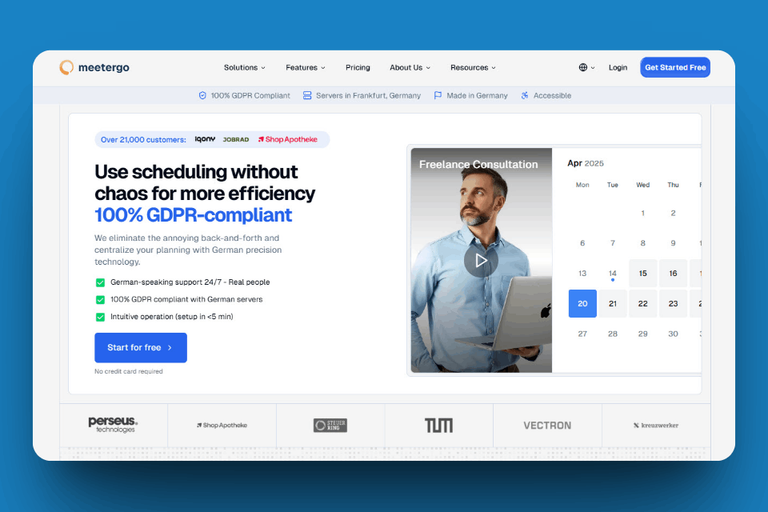
A CRM tracks the deal, but the first meeting still has to be booked. meetergo is a scheduling tool hosted in Germany that handles the booking page, confirmations and reminders, and it has a native Pipedrive integration.
GDPR Compliant Appointment Scheduling
meetergo is GDPR compliant and runs on servers in Nuremberg, which matters when a booking form collects personal data from prospects in the EU. Read more about data protection for scheduling.
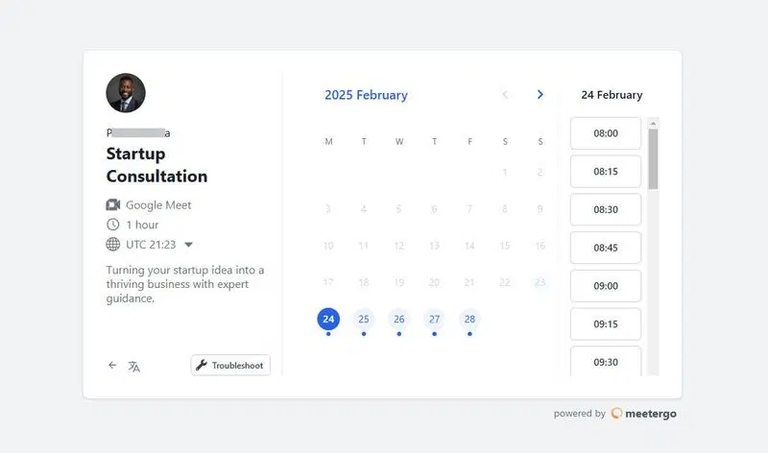
Automated Confirmations and Reminders
After a booking, meetergo sends confirmations and email or SMS reminders automatically, which helps reduce no-shows without anyone on the team chasing the prospect.
With the Pipedrive integration, a new booking creates or updates the contact in Pipedrive, the meeting is logged as an activity, and it can be linked to the deal. Salesmate has its own meeting scheduler on every plan, so Salesmate users can stay inside Salesmate for basic booking.
Small businesses particularly benefit from automated workflows. Appointment data flows into deal records automatically, letting teams focus on closing instead of data entry. Whether running localized campaigns or multinational operations, this combo creates frictionless experiences that strengthen client relationships.
Support, Integration, and Pricing Insights
Price is often the deciding factor between these two CRMs, so here are the current plans side by side.
Customer Support and Resource Accessibility
Both vendors offer a free trial: Pipedrive for 14 days with no credit card required, Salesmate for 15 days with access to all features.
Before you commit, check two points that change the real cost:
- Pipedrive bills extras such as LeadBooster, Web Visitors, Smart Docs, Projects and Campaigns as paid add-ons.
- Salesmate charges calling and texting by usage, with phone numbers from $1.1 per month.
Integration Options and Scalable Pricing Plans
Both CRMs connect to other tools through native integrations and Zapier, and both offer an API for custom automations. Check that the apps your team already uses are supported before you decide.
Prices per user per month, billed annually, as listed on each vendor's pricing page on 16 November 2026:
| Tier | Pipedrive | Salesmate |
|---|---|---|
| Entry | Lite: $14 | Basic: $23 |
| Second | Growth: $39 | Pro: $39 |
| Third | Premium: $59 | Business: $63 |
| Top | Ultimate: $79 | Enterprise: custom |
Monthly billing costs more with both vendors: Pipedrive says annual billing saves up to 42%, Salesmate up to 20%. For a ten-person team, Pipedrive Growth comes to $390 per month and Salesmate Pro to $390 per month at annual rates, so the decision comes down to which features you need rather than price.
Conclusion
Choosing between Pipedrive and Salesmate comes down to how your team sells. Pipedrive excels at visual pipeline management and is the cheaper start with Lite at $14. Salesmate gives you more in its entry plan and shines for teams that sell by phone.
Both tools use per-user pricing and offer a free trial, so the safest way to decide is to run your real pipeline in each for a week. Whichever you choose, a GDPR-compliant scheduler like meetergo can take over booking and reminders for your sales calls.
CRMs transform how you manage leads by turning data into actionable insights. Whether prioritizing granular reporting or agile contact management, these platforms adapt to your sales rhythm. Evaluate which features align with your deal volume and team structure.
Ready to streamline operations? Match your priorities—visual workflow control or hands-off automation—to the system that grows with your ambitions. Regular process reviews and smart integrations ensure your CRM remains a growth engine, not just a database.
FAQ
What’s the main difference between these two platforms?
Pipedrive is built around the visual sales pipeline and adds features tier by tier, while Salesmate packs calling, texting, email sync and automation into its plans from the start, with lead generation through web forms on every plan.
Which platform offers better pricing for startups?
Pipedrive has the lower entry price: Lite costs $14 per seat per month billed annually, against $23 for Salesmate Basic. Salesmate Basic, however, includes email sync and automation that Pipedrive only offers from Growth at $39.
Can I integrate these CRMs with other tools?
Yes. Both connect to other tools through native integrations, Zapier and an API. meetergo, for example, has a native Pipedrive integration that creates contacts and logs meetings as activities.
How do automation features compare?
Salesmate includes Smart Flows automation on every plan and adds sequences on Pro. Pipedrive's workflow automation starts on the Growth plan, so Lite users handle follow-ups manually.
Which CRM simplifies contact management better?
Salesmate keeps calls, texts and synced emails on the contact record from the Basic plan. Pipedrive offers the clearer deal view, with two-way email sync from Growth onwards.
Are there tools to enhance CRM functionality?
Yes. meetergo complements both CRMs with GDPR-compliant scheduling, automated reminders and calendar sync. With Pipedrive it also syncs bookings straight into contacts, activities and deals, which reduces manual data entry.